AnimNotify Reference
UAnimNotify_AgenticFoley modes, configuration, and usage
AnimNotify Reference
UAnimNotify_AgenticFoley is a C++ AnimNotify with two modes for different foley scenarios.
FootSockets Mode
Standard footsteps. Traces from a per-notify list of foot sockets on the character's skeletal mesh.
Properties
| Property | Type | Description |
|---|---|---|
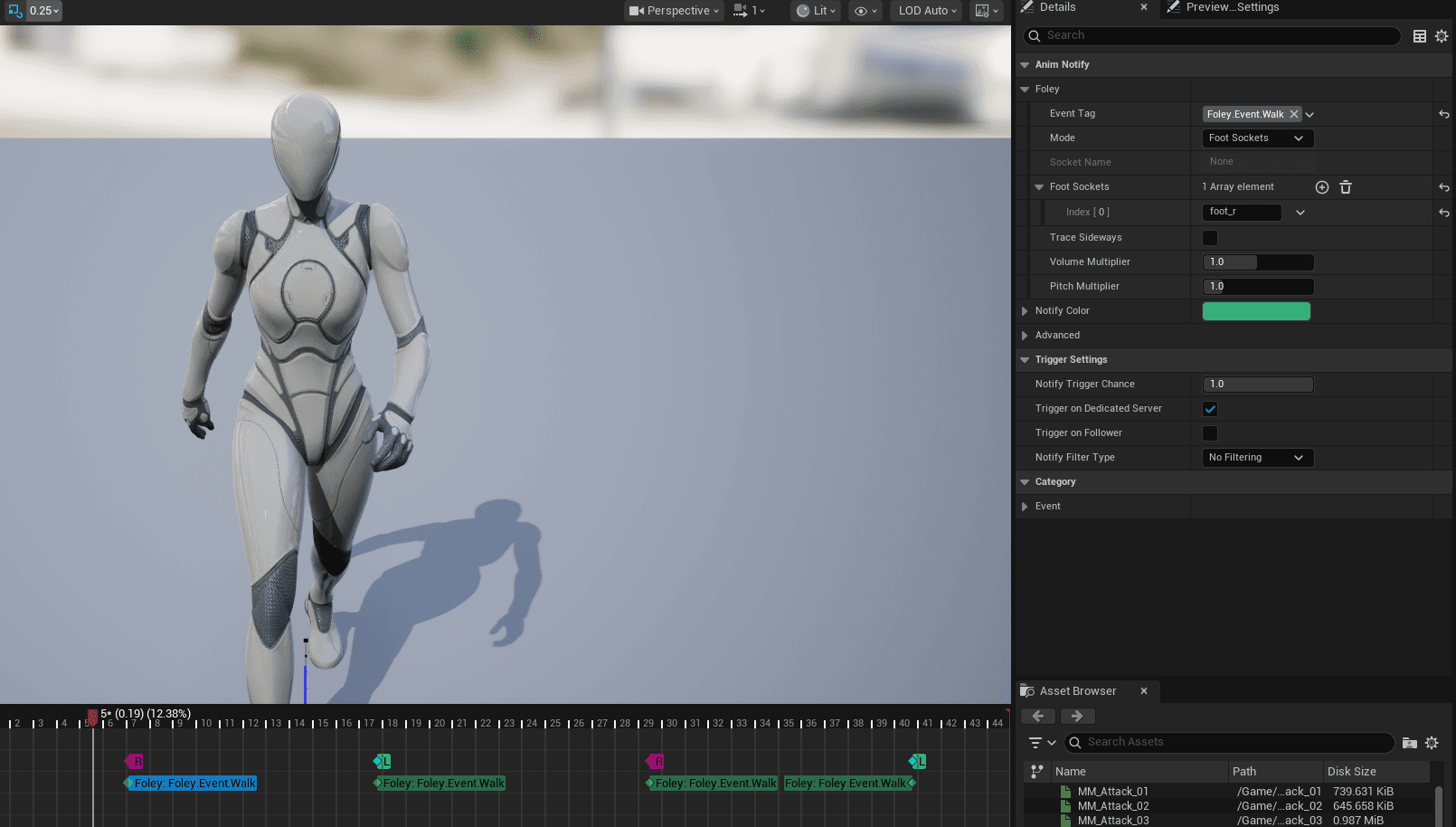
NotifyMode | EAgenticFoleyNotifyMode | Set to FootSockets. |
FootSockets | TArray<FName> | Which feet to trace. e.g., [foot_l] for left step, [foot_l, foot_r] for both. |
EventTag | FGameplayTag | Foley event tag (e.g., Foley.Event.Walk). |
VolumeMultiplier | float | Volume scalar (default 1.0). |
PitchMultiplier | float | Pitch scalar (default 1.0). |
Example configuration on a third-person walk animation:
How It Works
- AnimNotify fires during animation playback
- Finds
UAgenticFoleyComponenton the owning actor - Calls
TriggerFoleyEventForFeet(FootSockets, EventTag) - Component traces downward from each foot socket
- Resolves surface, dispatches audio + VFX + stamps
Per-foot identity is preserved through the entire pipeline. A left foot step traces from foot_l, stamps the left boot texture, and plays audio at the left foot location.
Socket Mode
Weapon impacts, shield bashes, staff slams. Traces from a named socket on any mesh component.
Properties
| Property | Type | Description |
|---|---|---|
NotifyMode | EAgenticFoleyNotifyMode | Set to Socket. |
SocketName | FName | Socket to trace from (e.g., sword_tip, shield_boss). |
MeshComponentTag | FName | Component tag to find the correct mesh (optional). |
EventTag | FGameplayTag | Foley event tag. |
VolumeMultiplier | float | Volume scalar. |
PitchMultiplier | float | Pitch scalar. |
How It Works
- AnimNotify fires during attack/impact animation
- Finds
UAgenticFoleyComponenton the owning actor - Calls
TriggerFoleyFromSocket(SocketName, MeshComp, EventTag) - Traces from the socket position using normal-based rotation
- Dispatches via GAS GameplayCue for multiplayer replication
Biped vs Quadruped
The notify's FootSockets array supports any number of feet:
| Rig | FootSockets |
|---|---|
| Biped | [foot_l] or [foot_r] per step |
| Quadruped | [foot_fl, foot_fr] for front pair, [foot_bl, foot_br] for back |
| Custom | Any named socket on the skeleton |
Nothing is hardcoded to two legs. The pipeline processes each socket independently.
Migration from GASP Notifies
If your project already uses GASP's built-in footstep notifies (BP_AnimNotify_FoleyEvent_Walk_L, etc.), you have two options:
- Replace — Swap GASP BP notifies for
UAnimNotify_AgenticFoleyin FootSockets mode - Keep both — The GASP BP notifies call into
AC_FoleyEvents::PlayFoleyEvent, which (after reparenting) routes through the C++ pipeline. Both paths work.
Option 2 is simpler for existing projects. The reparenting step in the Quick Start handles the wiring automatically.
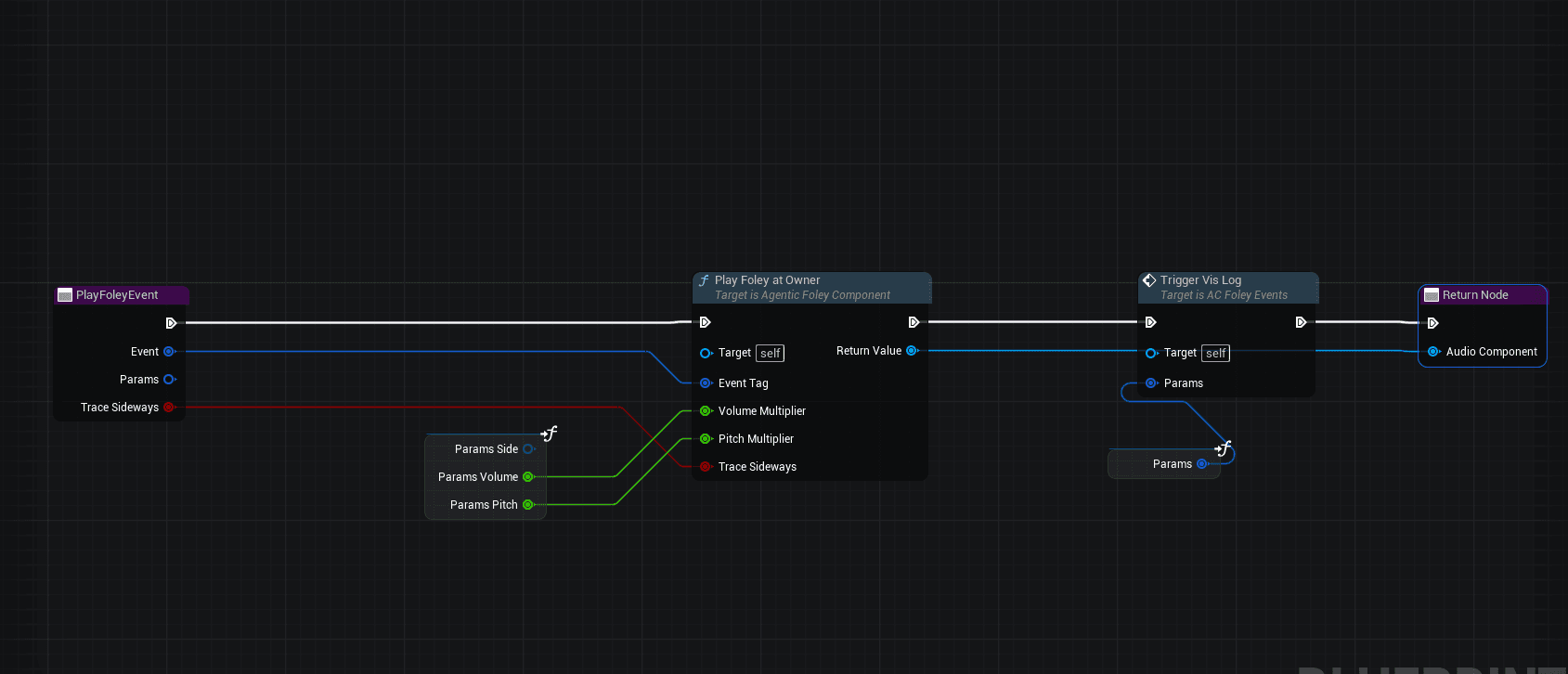
The BP dispatch is a single node
After reparenting, AC_FoleyEvents::PlayFoleyEvent is a one-node graph — it calls PlayFoleyAtOwner, which internally runs ResolveFoleySound → IsValid → SpawnSoundAttached → ApplySlotParameters → DispatchFoleyVFX in C++. The prior five-node BP chain has been collapsed behind that single BlueprintCallable so both the C++ notify and the BP notify share identical dispatch logic (including per-surface VolumeMultiplier composition from the FoleyConfig DataAsset). Picking Option 1 (C++ notify) versus Option 2 (BP notify) is now purely about whether you want BP-side extensibility — the audio/VFX output is byte-identical.