Agentic Atmos
Native sky, authored day cycles, weather, and terrain-relative ground fog for Unreal Engine 5.8
Agentic Atmos
Native sky, authored day cycles, and weather for Unreal Engine 5.8. Place one sky actor, assign a day cycle, and build a consistent atmosphere from reusable look presets. Work in Unreal's Details panels or through the editor-only agent toolsets.
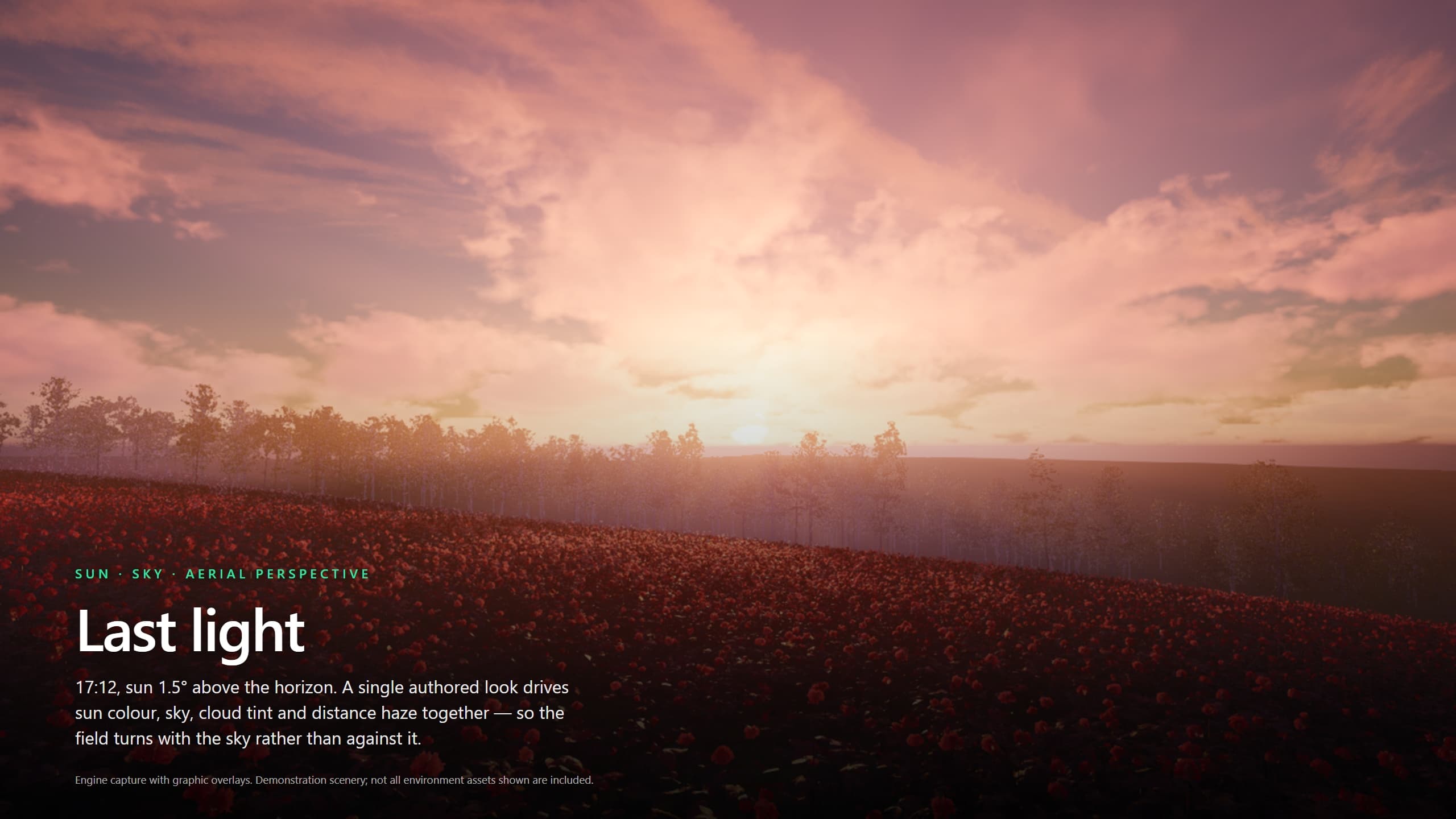
Rendered with the plugin's showcase level, with graphic overlays. Demonstration scenery is not all included. The setup guides are text walkthroughs, not editor UI screenshots.
Key Features
- One Sky Owner — Sun, moon, skylight, sky atmosphere, height fog, volumetric clouds, sky dome, and post-process components on one actor.
- Authored Day Cycles — Timed slots select reusable look presets; per-category modifiers hold the settings. Default, RealSky, and Woodland cycles ship with six slots each.
- Layered Weather — Fourteen weather type assets, a weather look layer, rain with surface-impact effects, falling snow, and surface-weather material support.
- Terrain-Relative Ground Fog — Placed banks follow a baked terrain height map. Renderer and material assets plus three library looks are included.
- Shared Wind — One resolved wind published to materials, the engine wind source, Niagara, and Blueprint.
- Agent Authoring — Nine editor toolsets for time, sky inspection, capture, weather, content, day-cycle slots, regions, validation, and reference comparison.
Weather names describe authored atmospheric states, not a promise of every associated visual effect. Airborne dust is unfinished; hail and ash have no shipped implementations; lightning bolt VFX are unassigned. Calendar and season infrastructure does not include a seasonal content pack or automatic foliage transformation. Reference matching is iterative, not an automatic solver.
Getting Started
- Quick Start Guide — Install the plugin, place one sky actor, and inspect the supplied cycle
Guides
- Day Cycles — Slots, presets, modifiers, and transitions
- Weather — Weather types, severity, effects, and the weather look layer
- Ground Fog — Placed banks, terrain baking, and look controls
- Exposure — Camera response, metering, and the grade
- Wind for Your Content — Connect foliage, materials, cloth, and Niagara to resolved wind
- Agent Toolsets — Discover tools and iterate on a reference with an MCP agent
Reference
- Sky Actor — Owned components, properties, and refresh
- Look Presets — Modifier slots and precedence
- Day Cycle Asset — Cycle fields, slot fields, and coverage
- Console Commands — Clock and diagnostic commands
- Toolsets — Every callable tool and its purpose
Help
- Troubleshooting — Competing sky producers, stale fog bakes, missing content, and exposure
- Discord Support
Requirements
| Requirement | Version / purpose |
|---|---|
| Unreal Engine | 5.8 only; earlier versions are not supported |
| Niagara | Required engine plugin for precipitation |
| ToolsetRegistry | Required Experimental engine plugin for editor toolsets |
| C++ toolchain | Matching Unreal toolchain for source installs |
| Rendering-capable editor | Required for visual setup and capture; NullRHI cannot prove appearance |
The AgenticAtmosphere module is Runtime; AgenticAtmosphereToolsets is Editor-only. Agent tooling is not a runtime game dependency.
Architecture
AAtmosSkyActor
├── Sun + Moon + SkyLight
├── SkyAtmosphere + HeightFog + VolumetricCloud
├── SkyDome + PostProcess
└── Day cycle
    └── Timed slots
        └── Look presets
            └── Per-category modifiers

One clock + selected day cycle
  → Resolver
      ├── Actor default layer
      ├── Day look (selected / blended slots)
      └── Weather look layer
  → Composed state
  → Sky actor's owned components
Slots determine when and which preset. Presets own authored values; the resolver composes those values into the runtime result. Ground-fog banks need separate placement and terrain baking—assigning a day cycle alone does not create them.