Agentic Biomes
Data-driven PCG biomes for Unreal Engine 5.8 on Landscape and MeshTerrain, with GPU ground cover, a layer-stack terrain material, and agent toolsets
Agentic Biomes
PCG biome generation for Unreal Engine 5.8, built on Epic's BiomeCore, for Landscape and MeshTerrain. Define a biome once as a data asset — species rows, weights, priorities, ground cover — place it by volume, painted biome map, or closed spline, and build. One biome asset drives either terrain backend.
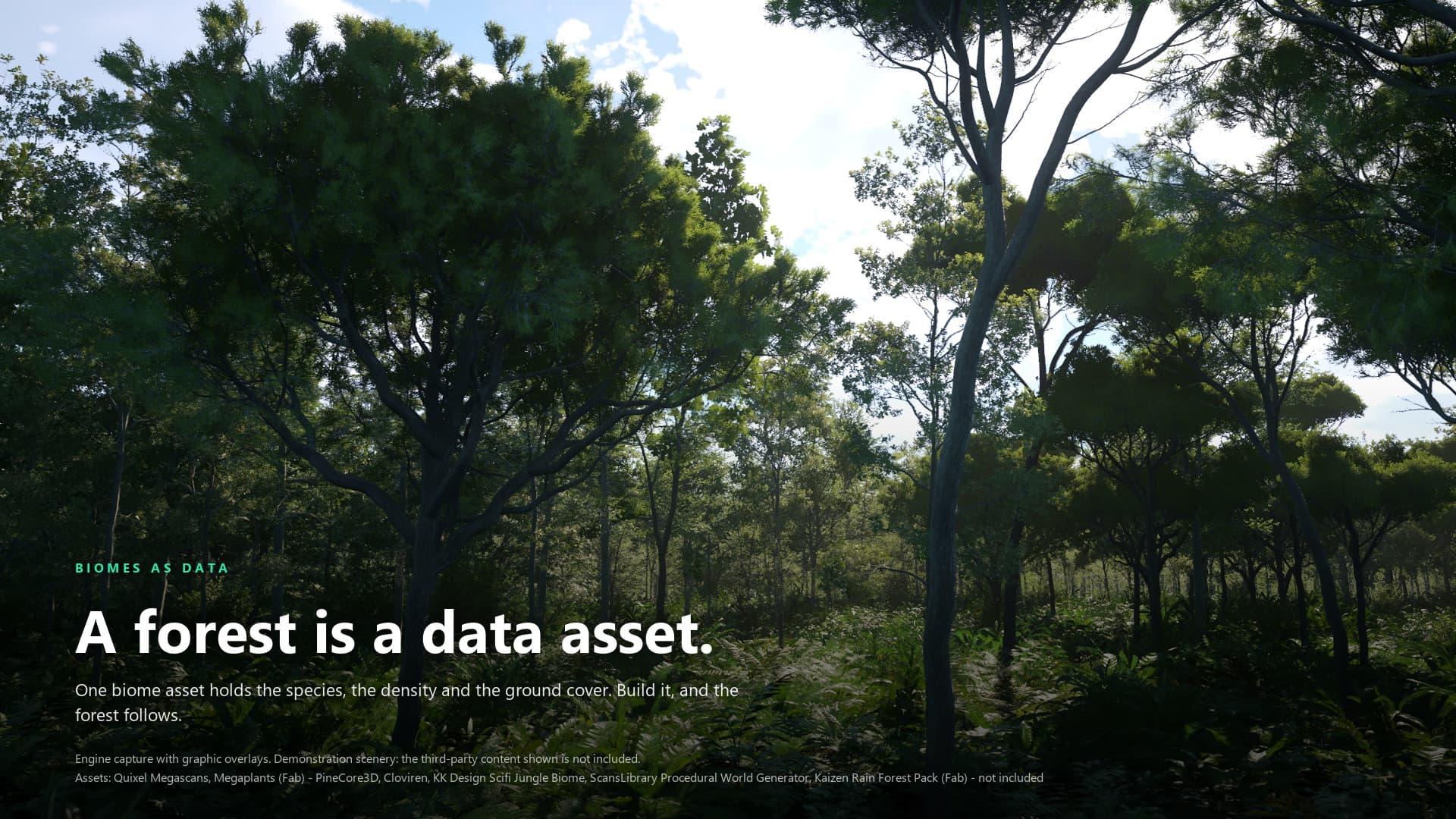
Engine capture with graphic overlays. Third-party scenery shown in the image is not included; its credits are printed on the image. The setup guides are text walkthroughs, not editor UI screenshots.
Key Features
- Biome Data Assets — A
UAgenticBiomelists offline species rows for trees, rocks, and props, runtime entries for GPU ground cover, and the landscape layer the biome binds to. - Three Placement Modes —
Grid(the sector grid is the boundary),BiomeMap(a painted colour texture is the authority), andHybrid, plus box volume regions from Build Biome Volumes and closed-spline regions. - Landscape and MeshTerrain — The Terraformer resolves the backend from the level (
Terrain Backend: Auto, Landscape, or MeshTerrain). One biome asset serves both; rows can be limited to one backend, and validation names a row that uses a filter its backend does not support. - Runtime GPU Ground Cover —
RT_*runtime templates run GPU generator graphs that scatter grass, plants, and stones around the camera at runtime. Twelve showcase templates ship, six per backend. TheGroundScatterGPU_R2_*generators add density filtering, Voronoi patches, spatial density noise, species territories, and landscape-layer gating for templates of your own. - Layer-Stack Terrain Material —
M_AT_LayerStackwith a ready instance for Landscape, one for MeshTerrain, and one for painted biome layers: a noise band, painted layers, and a slope-driven cliff. Runtime Virtual Texture reading and Nanite displacement are switches, off in the shipped instances. Eight Quixel Megascans surface sets are included. - Roads and Exclusion Zones — A road component on a spline with optional Landscape deformation and layer paint, and a Terraform Excluder (box or spline) that the shipped Landscape sampler graphs read; it has no effect on MeshTerrain levels.
- Wind Bridge — A level actor that fans one wind value to your own material parameter collections and to wind-receiver actors, including a base class for wind-driven Niagara actors. Nothing is pre-filled; you point it at your own setup.
- Six PCG Nodes —
BiomeSamplingDomain,CliffHeight,CliffPlace,CurvatureFilter,FogPlacement, andHeightGradient. - Agent Authoring — 28 editor tools in two toolsets, registered with Epic's ToolsetRegistry, so an MCP client can inspect, edit, place, build, and verify biomes.
No AI model or agent is included. The toolsets are editor tooling; you bring your own MCP client. BiomeCore, ToolsetRegistry, and Epic's Unreal MCP plugin are Experimental engine plugins in Unreal Engine 5.8, and the MeshTerrain backend needs Experimental engine plugins as well. Spline regions are not partitioned. Images in this documentation show third-party scenery that is not included.
Getting Started
- Quick Start Guide — Enable the plugins, open a showcase level, then set up your own level
Guides
- Biome Assets — Definition, species rows, runtime entries, and validation
- Placement — Grid, biome map, volumes, splines, exclusions, and roads
- Runtime Ground Cover — GPU generators, runtime templates, and tuning
- Terrain Material — The layer-stack master and its per-backend instances
- Agent Toolsets — Drive the plugin from an MCP client
- Wind Bridge — Connect your own wind to foliage materials and Niagara
Reference
- Terraformer — The Terraformer, sectors, regions, excluders, and the road component
- Biome Asset — Every authored field of a biome asset
- PCG Nodes — The six custom nodes, pins, and settings
- Console Variables — Console variables and commands the plugin registers
- Toolsets — Every callable tool and its arguments
Help
- Troubleshooting — Empty builds, missing ground cover, wind that does not move, and toolsets that do not appear
- Changelog — Release notes
- Discord Support
Requirements
| Requirement | Version / purpose |
|---|---|
| Unreal Engine | 5.8 only; Windows (Win64) is the only supported platform |
| PCG | Required engine plugin; the generation framework |
| PCGBiomeCore | Required Experimental engine plugin; BiomeCore does the generation |
| Niagara | Required engine plugin |
| PCGGeometryScriptInterop | Required engine plugin |
| ToolsetRegistry | Required Experimental engine plugin for the editor toolsets |
| MeshPartition, PCGMeshPartitionInterop, PCGPrimitives_MeshPartitionInterop, MeshTerrainMode | Optional Experimental engine plugins; needed only for the MeshTerrain backend |
| ModelContextProtocol | Optional Experimental engine plugin (Unreal MCP); needed only to reach the tools from an MCP client |
Agentic Biomes enables its required plugins through its descriptor. Everything the showcase levels use ships in the plugin: biomes, sample meshes, runtime templates, and the terrain material's surface textures. No other marketplace pack is required.
The AgenticBiomes module is Runtime; AgenticBiomesEditor and AgenticBiomesToolsets are Editor-only. Agent tooling is not a runtime game dependency.
Architecture
Terraformer (one per level)
├── Placement: Grid sectors · painted biome map · volume regions · spline regions
└── Biome data asset (per region)
    ├── Offline species rows  → trees, rocks, props generated into the level
    └── Runtime entries       → GPU ground cover generated around the camera

Terrain backend (Auto, Landscape, or MeshTerrain)
  → BiomeCore (Epic's PCG biome framework)
      ├── Region cache  → where each biome is
      └── Generators    → what each biome places
A placement rule decides where a biome is; the biome asset decides what grows there; BiomeCore does the generation. The terrain material is separate: biomes bind to a landscape layer by name, and the layer-stack material paints that layer.