Placing Biomes
Choose a placement route, paint a biome map, place volume and spline regions, and keep scatter out of exclusion zones on Landscape or MeshTerrain
Placing biomes
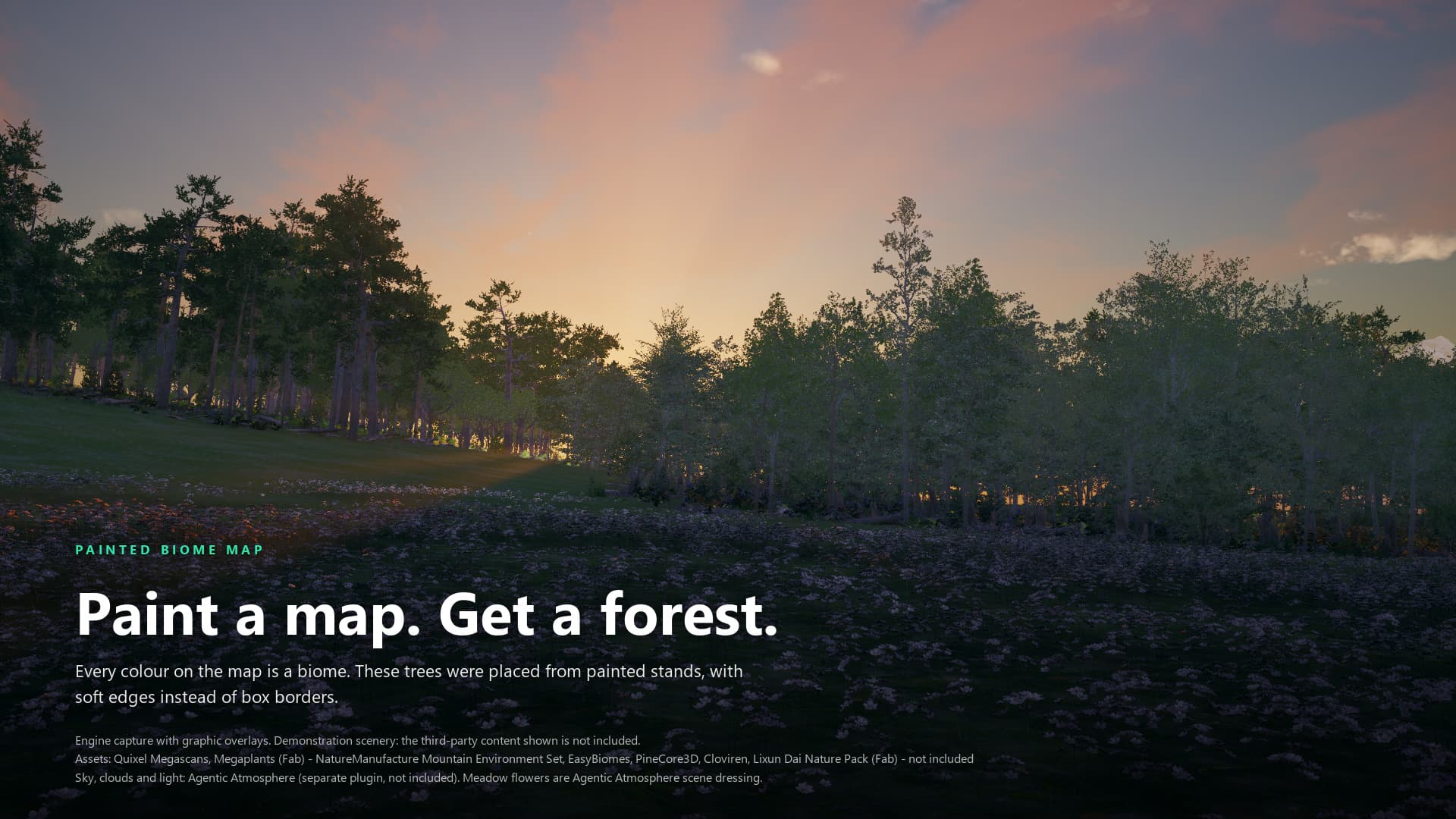
Engine capture with graphic overlays. Third-party scenery shown in the image is not included; its credits are printed on the image.
Placement decides which biome owns which ground. You pick a route on the Terraformer, press a build button, and the Terraformer spawns region actors that BiomeCore generates from. The same routes work on a Landscape and on a MeshTerrain, except where a section says otherwise. Every Terraformer, sector, region, excluder, and road property and button named here is listed in the Terraformer reference.
Buttons write their outcome to the Output Log under LogAgenticBiomes and open no dialog. Generation is asynchronous: a button returns before PCG finishes. Build Biome Map, Build Biome Volumes, Build Spline Biomes, and Regenerate Edited Area log BAKE COMPLETE when their PCG tasks have finished, or BAKE ABORTED with a reason.
Builds replace what the Terraformer spawned. Build Biome Map, Build Biome Volumes, Clear Biome Map, and Clear All destroy every region the Terraformer created, including any you moved or resized. Auto Grid and Clear Grid destroy every sector and the biomes you assigned to them. Spline regions are the exception: they are your own content and are never destroyed.
Choose a route
| Route | What owns the ground | You author | Press |
|---|---|---|---|
| Grid | Each sector's rectangular cell | Biomes on each sector | Auto Grid, then Build All |
| Biome map | The colour of each texel in a painted texture, with soft edges | A texture and the Biome Map Biomes palette | Build Biome Map |
| Hybrid | The map and the sector grid together | Both of the above | Build All |
| Volumes | One box per biome, tiled over the terrain | The Biome Map Biomes list | Build Biome Volumes |
| Spline | A closed spline you draw | An Agentic Biome Region with Shape set to Spline | Build Spline Biomes |
Splines combine with the other routes. Placement Mode only decides what Build All runs; Build Biome Volumes and Build Spline Biomes work in any mode.
Terrain and backend
The Terraformer measures the terrain every time it builds. It has no terrain pointer and its own position does not matter.
- Landscape bounds are the union of the loaded landscape streaming proxies, or the Landscape actor's own bounds when the level has none. Load every proxy before you build, or the bounds cover only part of the terrain.
- MeshTerrain bounds are the union of the geometry of the loaded Mesh Partition sections. If their bounds are flat in Z, the build traces the terrain to recover the relief. If that finds almost no height either, the log warns that scatter can collapse onto one height; build the sections so they have collision, or raise Biome Map Z Extents.
- Terrain Backend
Autolooks for a Landscape and for a Mesh Partition. Exactly one is used, and Resolved Terrain Backend shows which. Both, or neither, is a refusal: the log saysThis level contains BOTH a Landscape and MeshPartition mesh terrain ... set TerrainBackend explicitlyorThis level contains NO terrain. NamingLandscapeorMeshTerrainskips detection and uses your choice, which is how a level that holds both is built.
The backend decides which runtime ground-cover entries a region carries and which cache graph it runs. One biome asset serves both backends. Bake All Textures and Road Component deformation are Landscape only, and the Terraform Excluder only affects the shipped Landscape sampler graphs.
Grid
The sector grid is the biome boundary: hard rectangles.
- Set Placement Mode to
Gridand set Grid Divisions (default 4 by 4). - Press Auto Grid. It resolves the terrain and spawns sectors that tile its bounds exactly, labelled
Sector_X_YunderAgenticTerraform/Sectors. - Select each sector in the Outliner and fill its Biomes array.
- Press Build All.
Each biome on a sector becomes one box region covering the whole cell. Several biomes on one sector overlap completely, and priority decides. Build All has every sector create its regions and generate, then aggregates through BiomeCore. A sector with an empty Biomes array logs a warning and spawns nothing.
Sectors also have their own buttons (Create Volumes, Generate Biomes, Clear Biomes, and others) for rebuilding one cell.
Limits:
- Pressing Auto Grid again destroys the existing sectors, their Biomes assignments, and all generated content, then spawns a fresh grid.
- Verify Biome Map Regions checks only regions the Terraformer owns. Sector regions belong to their sectors, so on a pure Grid level it reports
FAILwithNo biome-map regions found. - Bake All Textures runs Bake Runtime Textures on each sector. For a biome with runtime ground cover and a Landscape Layer Name, it samples that Landscape paint layer into a 64 by 64 mask over the sector, so ground cover follows the painted layer, then regenerates BiomeCore. On MeshTerrain it bakes nothing: every texel reads as off-terrain. The biome-map and volume routes need no bake because each region carries its biome's runtime ground cover directly.
Biome map
A colour texture is stretched over the terrain's XY bounds. Every palette colour that appears in it spawns one region that claims only that colour. Boundaries are organic, and Biome Map Blending Range softens them.
How colours match
- A texel claims a biome when each of its R, G, and B values is within Biome Color Tolerance (default 0.01, inclusive) of the biome's colour. The test is a box on each channel, not a distance, and alpha is ignored.
- The comparison is on raw numbers: the texture byte divided by 255 against the colour stored on the biome. There is no sRGB conversion. That is why the texture must be uncompressed with sRGB off and Mip Gen Settings set to no mips. Compression and mips invent in-between colours that match no biome.
- The biome's colour is Biome Color in its Definition (default white, so give each new biome its own). Biomes need colours that differ by more than the tolerance on at least one channel.
- Pure black, within tolerance, means no biome and is reserved. A biome whose colour is that close to black is an error.
- If two palette colours overlap within tolerance, the entry earlier in Biome Map Biomes wins the texel.
- A palette biome whose colour is absent from the map gets no region. Audit Biome Map shows its count as 0.
- Texel (0, 0) maps to the terrain's minimum X and minimum Y corner. Column 0 is the minimum-X edge and row 0 is the minimum-Y edge.
Build it
- Set Placement Mode to
BiomeMap(orHybrid). The map properties are greyed out inGrid. - Assign the texture to Biome Map and list your biomes in Biome Map Biomes. This array is the palette.
- No texture yet? Press Bake Banded Biome Map. It writes one horizontal band per palette entry, from low Y to high Y, at Baked Biome Map Resolution (default 256), and assigns it. Paint over it afterwards.
- Press Validate Biome Palette. It errors on an empty slot, a colour near black, two indistinguishable colours, and a map with sRGB on. It warns on shared biome names, a biome with no species and no runtime cover, a compression other than
TC_VectorDisplacementmapor HDR, mips, and a missing map. - Press Audit Biome Map. It counts texels per colour, background texels (black), and unclaimed texels that match nothing. A large unclaimed count usually means compression or antialiasing has blurred your edges.
- Press Build Biome Map, or Build All in
BiomeMapmode. It destroys earlier regions, then spawns one region per claimed colour, labelledBiomeMap_BiomeAssetName. Wait forBAKE COMPLETE. - Press Clear Biome Map to remove the regions.
If the map is missing or the palette is empty, the earlier regions are already gone when the build stops.
Verify it
Verify Biome Map Regions is read-only and reads each region's generated cache. It reports PASS or FAIL for four checks.
| Check | Fails when |
|---|---|
| A region exists | There are no regions to check. |
| Every region has cache points | A region's cache is empty: generation has not finished (run it again), or its colour never matched. |
| No two regions claim a cell | A texel of the cache lattice holds points from two regions. Check the tolerance against the palette's colour separation. |
| The cell count adds up | Points do not equal distinct cells plus collisions. Surplus points inside one region mean the cache is finer than the cell, or overlapping partition cells emitted a texel twice. |
Spline regions own no cells, so they are reported on a separate OVERLAY line. A PASS says the cache is right. It does not say anything was placed, and a correct cache can sit beside an empty level. When Verify passes but the level looks empty, press Explain Species: it reports, per region, the cache points offered, the scatter produced, and the instances placed per mesh with their Z ranges.
Cache size and softness
| Setting | Default | Effect |
|---|---|---|
| Biome Map Texel Size | 800 cm | One cache point per texel step across the terrain. Smaller gives finer boundaries and more points. Minimum 50, rounded to whole centimetres. |
| Biome Map Z Extents | 1600 cm | Vertical half-extent of the cache. Raise it when relief is taller. |
| Biome Map Snap To Surface | on | Puts cache points on the terrain so scatter does not float. |
| Biome Map Blending Range | 1000 cm | Softens painted boundaries. Larger values reach further outside the claimed ground and can change instance counts a lot. |
| Biome Map Blending Noise | 1 | Breaks up straight blended edges. Range 0 to 1. |
| Biome Map Blending Density | 1 | Density multiplier across the blend. Range 0 to 1. |
| Biome Map Attach Offline Assets | on | Off: regions carry runtime ground cover only. |
A boundary cannot be finer than the texture's own texels or the cache texel, whichever is coarser. These values are copied onto each region at build time, so change them and rebuild.
Repaint without a full rebuild
- Turn on Biome Map Partitioned (advanced) and rebuild once. This adds one partition actor per occupied cell to the level, and the first generate is a full one. Biome Map Partition Grid Size (default 40,000 cm) sets the cell size. There is one grid per world.
- Repaint part of the texture and reimport the same asset.
- Set Biome Map Edit Center and Biome Map Edit Radius (a box half-extent, default 40,000 cm), then press Regenerate Edited Area.
It dirties only the cells the edit can have changed, widened by each biome's scatter reach, and keeps every other cell. A biome whose rows, runtime entries, or bake settings changed is invalidated everywhere. It refuses, changing nothing, and logs RegenerateBiomeMapArea: REFUSED with the reason when partitioning is off, terrain or its bounds changed, a colour was added or removed, a claim grew outside its region, a region has never generated, or generation is still running. A level that has a spline region, or was built by Build Biome Volumes, is refused too. Pointing Biome Map at a different asset needs Build Biome Map. The refusal tells you to run Build Biome Map.
Large maps: partitioning and bounded regions
- Biome Map Partitioned also shards generation so each cell samples fewer points. It needs a region to have a published sampling domain and a proven scatter margin; otherwise the build stops with
BuildBiomeMap: REFUSED - N region(s) could not partition safelyand schedules no aggregation. Spline regions are never partitioned. - Bound Regions To Biome Extent (advanced, off by default) sizes each map region to the bounding box of its colour plus a derived scatter margin, instead of the whole terrain. A biome whose margin cannot be derived stays map-wide, and the log says why. Press Explain Biome Map Support first: it reports each biome's claim, margin, and
BOUNDABLEorMAP-WIDEwithout building anything. Bounded output is meant to match map-wide output, but that equality has not been established on a large reference map, which is why the option is off by default. Compare your instance counts before relying on it.
Hybrid
Hybrid runs both routes under one Build All: sectors create and generate their regions, then the map builds. Use it when the map should paint most of the terrain but individual sectors still need their own curated biomes. The routes are separate sets of regions, and priority resolves overlaps between them. Verify Biome Map Regions sees only the map's regions.
Volumes
Build Biome Volumes needs no texture. It reads Biome Map Biomes, which is only editable while Placement Mode is not Grid, and places one box region for each biome that has species or runtime ground cover. Biomes with neither are left out. If none has content, the log warns that there is nothing to place and no region is spawned.
The boxes tile the terrain in a near-square grid: columns equal the square root of the biome count, rounded up. The boxes in each row split the full width evenly, so a short last row gets wider boxes. Five biomes make three columns and two rows. Regions are labelled BiomeVolume_BiomeAssetName under AgenticTerraform/BiomeVolumes.
To move or resize a box, select the region in the Outliner (regions are hidden in the viewport when spawned) and move or scale the actor. The box component keeps a 100 cm half-extent and the actor's scale carries the world size, so scaling the actor resizes the box.
The Terraformer has no button that re-runs one region after a hand edit, and no plugin step tracks one. To change the result, change Biome Map Biomes and press the build button again. A build re-tiles from scratch and discards hand edits.
A region you add by hand is not tracked by the Terraformer unless it is a spline region, so the build, clear, and verify buttons ignore it.
Spline regions
A closed spline delimits a biome in an organic shape without a texture.
- Place an Agentic Biome Region from the Place Actors panel and set Shape to
Spline. With no spline points yet it creates four curved points forming a square 50 m on a side, centred on the actor, and fits the box to it. - Assign Biome. This applies the biome immediately.
- Edit the
BiomeSplinepoints. The spline must stay a closed loop with at least three points. - Set Local Cache Size (default 800 cm, minimum 100), the interior sample spacing. Coarser is cheaper and edgier.
- Press Build Spline Biomes on the Terraformer. It adopts every spline region that has a biome, skips and names any that do not, then regenerates every region and aggregates BiomeCore.
Spline regions keep their own Local Cache Size, Local Cache Z Extents, and Blending Range, Blending Noise, and Blending Density. The Terraformer never overwrites them. The default Blending Range of 1000 cm lets instances appear outside the polygon by up to that distance; lower it to pull them back.
Limits and known gaps:
- Only closed splines work. An open spline logs
Spline region cannot generate: BiomeSpline is openand records it in Cache Degradation. There is no band-with-width mode. - Spline regions are not partitioned, so Regenerate Edited Area refuses a level that contains one.
- A spline is an overlay. It claims no cells, BiomeCore resolves it against other regions by priority, and Verify Biome Map Regions counts its points on the
OVERLAYline. It can lie over a map or volume biome without tripping the disjoint-cell check. - Build Biome Map and Build Biome Volumes adopt spline regions too. Clear Biome Map leaves them in place.
- Setting Shape back to
Volumeclears the spline points.
Priority and overlap
Biome Priority in a biome's Definition decides which biome wins where two claim the same ground: higher wins. The default is 0. It applies where sector biomes overlap, between the grid and the map in Hybrid, between a moved box and its neighbours, and under a spline overlay. Painted colours are disjoint, so two map regions do not overlap except through blending.
Exclusion zones
A Terraform Excluder keeps scatter out of an area. Place one from the Place Actors panel and set Excluder Type to Box or Spline. Size the box through its ExclusionBox component or the actor's scale, or draw the ExclusionSpline. The actor carries the tag TerraformExcluder.
What reads that tag is narrower than the actor's name suggests:
- Only five shipped Landscape sampler graphs reference it:
SG_AT_Sampler_GroundCover_Landscape,SG_Sampler_Trees_Landscape,SG_Sampler_Cliffs_Landscape,SG_Sampler_CliffWalls_Landscape, andSG_Sampler_CliffWalls_LS. They use it to remove sampled points that fall inside an excluder. A sixth asset, the subgraphSG_TF_Excluder, also names the tag, but no shipped graph calls it. - The tag does not appear in the MeshTerrain sampler graphs, so an excluder does not affect a MeshTerrain level. A generator graph of your own affects it only if you read the tag in that graph.
- The excluder has no width, falloff or biome-filter setting. The zone is the box or spline you shape.
After placing an excluder, regenerate and look at the result. If points remain inside it, that biome's generator graph does not read the tag. The shipped BP_AT_RoadSpline and BP_AT_RoadExclusion Blueprints carry a different tag, PCG_BiomeExclusion, which the plugin's LocalBiomeCore graph references, as do Epic's own BiomeCore exclusion actors. The Terraform Excluder does not carry that tag. Their behaviour is Epic's and is not covered here.
Roads
Add a Road Component to an actor that has a Spline Component. The shipped BP_AT_RoadSpline Blueprint already carries one.
- Road Width is a half-width, default 250 cm. The flat zone extends that far on each side of the spline, so the road is twice as wide.
- Side Falloff (default 200 cm) is the blend band beyond each road edge.
- The component writes Road Width plus Side Falloff into the Y scale of every spline point.
- Deform Landscape turns on terrain editing. Apply To Landscape then runs the engine's spline-apply on the Landscape under the spline's first point, with the width and falloff scaled by Deform Width Multiplier (1) and Deform Falloff Multiplier (3). Raise Terrain and Lower Terrain choose which way the terrain may move, and Start Roll and End Roll bank the road.
- Paint Road Layer with a Road Layer Name paints that Landscape layer at full strength in the centre, faded across the falloff. The name must match a layer that has a layer info object, otherwise the log warns and lists the layers that exist, and the terrain edit still runs without paint.
- Edit Layer Name left empty uses the base edit layer. A named layer must already exist, and a non-base layer logs a warning because it adds heights on top of the base.
Limits: deformation is Landscape only. On MeshTerrain, Apply To Landscape finds no Landscape and logs RoadComponent: No landscape found beneath spline; the component still sets the spline width. The spline needs at least two points and its first point must lie over the Landscape. The Road Component does not itself remove scatter: keeping scatter off a road comes from the PCG_BiomeExclusion tag that BP_AT_RoadSpline carries. No shipped graph reads Road Width or Side Falloff by name.
Messages you may see
| Output Log message, paraphrased | Meaning and fix |
|---|---|
This level contains BOTH a Landscape and MeshPartition mesh terrain | Set Terrain Backend to Landscape or MeshTerrain. |
This level contains NO terrain | Add terrain, or set Terrain Backend. |
Found a MeshPartition but no section geometry with non-zero bounds | The sections are probably unloaded. Load them and retry. |
No landscape in this level or Landscape has zero bounds and no streaming proxies found | Load the landscape proxies. |
BuildBiomeMap: No BiomeMap assigned | Assign Biome Map, or run Bake Banded Biome Map. Earlier regions are already destroyed. |
BuildBiomeMap: Palette is empty | Fill Biome Map Biomes. |
BiomeMapBiomes[N] is empty | Remove the blank palette slot. |
BuildBiomeVolumes: BiomeMapBiomes holds no biome with content | Give a biome species or runtime ground cover. |
produced an EMPTY biome cache | Generation has not finished, or the colour never matched. Re-run Verify Biome Map Regions, then Validate Biome Palette. |
claimed by MORE THAN ONE region | Two palette colours are within tolerance of each other. Separate them or lower Biome Color Tolerance. |
BuildBiomeMap: REFUSED - N region(s) could not partition safely | Find the earlier NOT partitioned error for the region. The build scheduled no aggregation. |
BAKE ABORTED | A region or core task was refused, cancelled, or superseded. Wait for generation to settle and build again. |
stays MAP-WIDE despite bBoundRegionsToBiomeExtent | That biome's scatter margin could not be derived, so it keeps whole-terrain bounds. Expected, not a failure. |
Sector [x, y]::CreateVolumes - No biomes assigned | Fill that sector's Biomes. |
no terrain under any of its texels | Bake Runtime Textures on MeshTerrain, or a sector outside the terrain. |
Failed to load ... Is the PCGBiomeCore plugin enabled? | Enable the BiomeCore plugin and restart. |
runtime scheduler handoff REFUSED | The runtime core could not hand off to PCG's runtime scheduler. It needs a live world, the PCG subsystem and world actor, an enabled scheduler (pcg.RuntimeGeneration.Enable), and an active registered component. |
RegenerateBiomeMapArea: REFUSED | See the partitioned regeneration notes above. |
Showcase levels
Four levels ship under Plugins → Agentic Biomes Content → Maps → Showcase (turn on Show Plugin Content in the Content Browser settings). They cover each backend with each placement style. All four carry a Terraformer and have Placement Mode set to BiomeMap, whether their regions came from a map or from Build Biome Volumes. Each also holds the BiomeCore actors and a BiomeCore runtime actor.
| Level | Terrain | Route and contents |
|---|---|---|
L_Showcase_Landscape_Volume | Landscape | Box regions from Build Biome Volumes, one each for Biome_BroadleafForest, Biome_ConiferousForest, Biome_Desert, Biome_Landslide, and Biome_MountainForest. |
L_Showcase_Landscape_Texture | Landscape | Painted map T_BiomeMap_FiveZone with five map regions: Biome_Beach, Biome_BroadleafForest, Biome_ConiferousForest, Biome_Desert, and Biome_Snow. |
L_Showcase_MeshTerrain_Volume | MeshTerrain | The same five biomes as the Landscape volume level, as box regions on a Mesh Partition terrain that uses the definition MPD_AT_Showcase. |
L_Showcase_MeshTerrain_Texture | MeshTerrain | Five map regions (Biome_BroadleafForest, Biome_ConiferousForest, Biome_Desert, Biome_Landslide, Biome_MountainForest) painted from the BiomesMap texture in the plugin's Sample/Tiles folder. |
Open one, select the Terraformer, and press Build Biome Volumes on a volume level or Build Biome Map on a texture level. Pressing either rebuilds the level's regions from scratch.
Next steps
Author the biomes these routes place in biome assets, and see how ground cover is generated around the camera in runtime ground cover. Look up any property in the Terraformer reference, or ask on Discord.
Biome Assets
Create and author an Agentic Biome data asset in Unreal Engine 5.8, with species rows, runtime ground cover, per-backend rules and validation, using the shipped showcase biomes as examples
Runtime ground cover
How a biome attaches GPU-scattered grass and small plants that generate around the camera at runtime, which generators and templates ship, and what each parameter does.