Runtime ground cover
How a biome attaches GPU-scattered grass and small plants that generate around the camera at runtime, which generators and templates ship, and what each parameter does.
Runtime ground cover
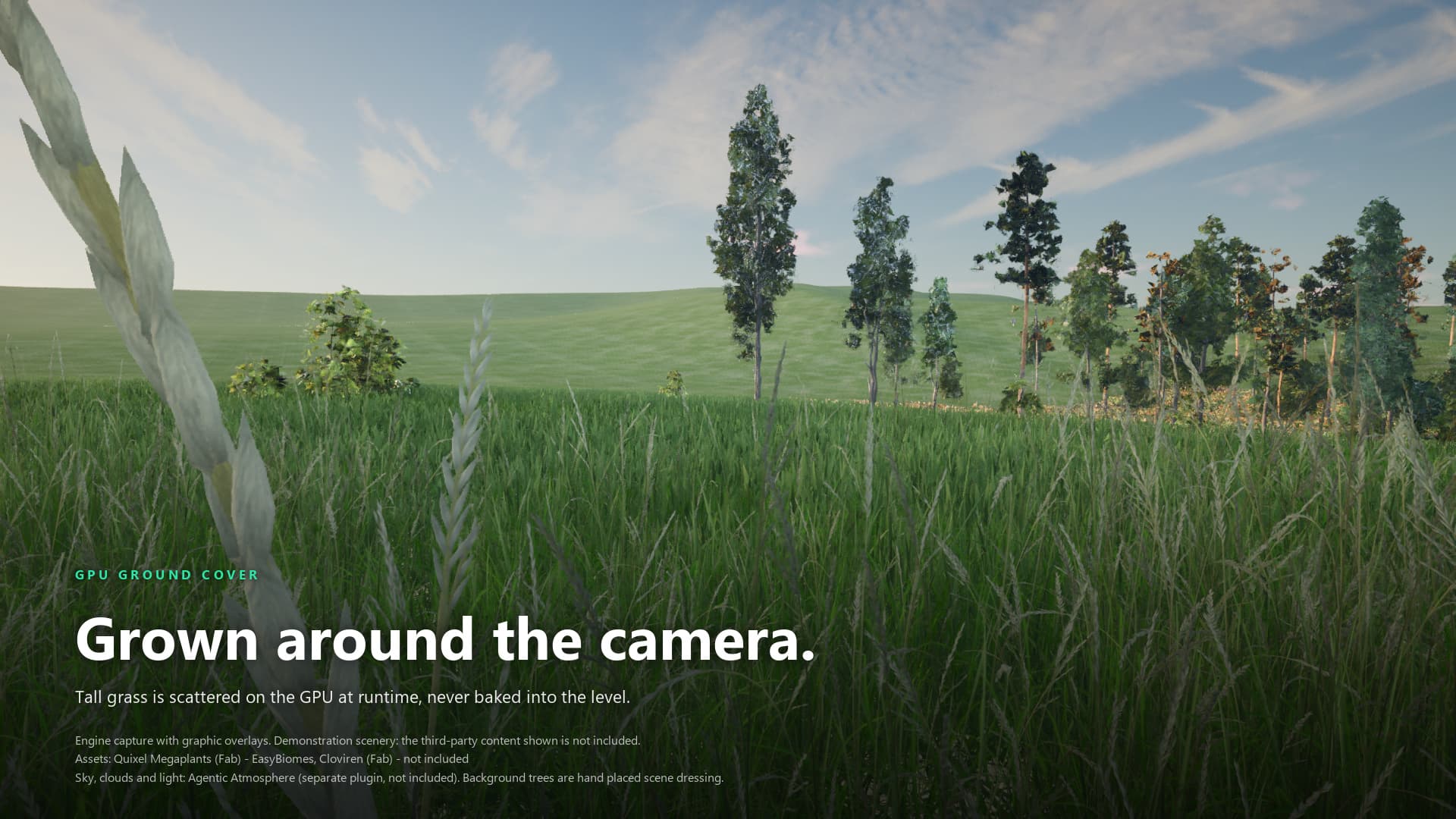
Engine capture with graphic overlays. Third-party scenery shown in the image is not included; its credits are printed on the image.
Agentic Biomes splits a biome into two kinds of content. Trees, rocks and props are generated once and written into the level. Ground cover (grass, small plants, stones between the big objects) is scattered on the GPU while the game runs, only near the camera or player, and is never saved into the level.
This page covers the runtime half: how a biome points at ground cover, what Build creates for it, which generators ship, and what their parameters do. For the offline half, see Biome assets and Placement.
Runtime ground cover works on both terrain backends, Landscape and MeshTerrain (Mesh Partition). One biome asset can carry a template for each backend; the backend mask on each entry decides which region uses it.
Offline versus runtime
| Trees, rocks, props | Ground cover | |
|---|---|---|
| Where it is authored | Species rows on the biome asset (Species, category "Species") | Runtime asset entries on the biome asset (RuntimeAssetEntries, category "Ground cover") |
| When it exists | Generated by Build and saved into the level | Generated while the game runs, around the generation source |
| Generator | The region's local PCG graphs | A GPU generator graph referenced by an RT_* template |
| Cleared by | Clear All (or Clear Biome Map) on the Terraformer | Clear All destroys the runtime core actor, which stops runtime generation until the next Build |
A species row can also ask the core for runtime assembly through its RuntimeOptions (category Species|Runtime, advanced). A biome counts as having runtime cover when it has a runtime asset entry with an asset set, or an enabled species row whose runtime GenerationMethod is anything other than None (UAgenticBiome::HasRuntimeCover).
Attach ground cover to a biome
- Open the biome asset and find the Ground cover category.
- Add an element to Runtime Asset Entries (
RuntimeAssetEntries). - Set
Assetto a runtime template (anRT_*asset, see below). - Set
Backends. The field is a bitmask: Landscape = 1, MeshTerrain = 2. The default is 3, which serves both. Use 1 or 2 when the template only works on one backend. - On the Terraformer, run Build All (or Build Biome Map, Build Biome Volumes, Build Spline Biomes, depending on your placement mode).
A region only carries the entries whose Backends mask serves its own backend. The region also stores a hash of those entries, so editing an entry invalidates the cells that used it and the next build regenerates them. Runtime entries attach even when bBiomeMapAttachOfflineAssets is off, because that setting only governs the offline assets.
The biome also has an advanced array named RuntimeAssets. It is legacy: on load, if RuntimeAssetEntries is empty, every non-empty element is moved into RuntimeAssetEntries with both backends enabled and the array is emptied. Use RuntimeAssetEntries.
What Build creates
When any biome in the Terraformer has runtime cover, the Terraformer spawns an actor labelled BiomeCoreRuntime_Auto (EnsureBiomeCoreRuntimeExists), in the Outliner folder AgenticTerraform/Internal, unless it already owns one. Its PCG component:
- uses the graph
/AgenticBiomes/PCG/Runtime/AT_BiomeCoreRuntime_Graph; - has its generation trigger set to Generate At Runtime;
- runs the generator graph of each runtime template over the biome points near the generation source.
You do not place this actor by hand. Clear All destroys it, and the next Build spawns it again.
Terrain bounds clip
Right after assigning the graph, the Terraformer writes two graph parameters on the runtime core, TerrainBoundsMin and TerrainBoundsMax, from the terrain footprint it measured (landscape centre minus and plus its extent). The two showcase scatter graphs (SG_AT_GroundScatterGPU_LS and SG_AT_GroundScatterGPU_RVT) drop any point whose XY lies outside those bounds. The R2 generators further down do not read these parameters.
The reason is the way height is sampled: heights are read with clamped addressing, so a point past the terrain edge would otherwise take the edge height and render as a flat sheet of instances. The graph default is plus and minus 1,000,000,000, which means no clip. The Terraformer leaves the default alone when the measured extent is close to zero, and logs an Error if the parameter is missing from the graph.
Runtime core graph parameters
| Parameter | Default | Notes |
|---|---|---|
DisplayBiomePoints | false | Shows the biome points for debugging. |
BiomesSearchDistance | 3200 | Search distance, in cm, for biome points. The showcase kernels drop a point when this is zero or less. |
InfluencePointsSearchDistance | 1000 | Search distance, in cm, for influence points. |
MeshScattering | true | Enables the mesh scattering path. |
GroundScattering | true | Enables the ground scattering path. |
UseHeightRVT | false | Reads height from a runtime virtual texture. The plugin code does not set it, and it is false on the shipped showcase levels. |
HeightRVT_Priming | struct | Virtual texture priming info, used with the option above. |
TerrainBoundsMin, TerrainBoundsMax | minus and plus 1e9 | Written by the Terraformer, see above. |
Templates that ship
A template is an Epic Biome Core runtime asset template. In the shipped templates it holds a GeneratorGraph (the GPU generator to run) and a BiomeAssets array with one row per mesh: the Mesh, a Weight, the scale in AssetOptions, and, in most templates, a material in MeshOptions.
The plugin ships twelve showcase templates, six per backend, plus two sample templates that the Landscape showcase biomes also use.
| Template | Backend | Generator |
|---|---|---|
RT_Showcase_Broadleaf_Grass | Landscape | GI_RT_Showcase_Broadleaf_Grass |
RT_Showcase_Coniferous_Grass | Landscape | GI_Showcase_GroundScatterGPU_Coniferous |
RT_Showcase_Desert_Rocks | Landscape | GI_RT_Showcase_Desert_Rocks |
RT_Showcase_DryGrass | Landscape | GI_RT_Showcase_DryGrass |
RT_Showcase_MountainForest_Grass | Landscape | GI_Showcase_GroundScatterGPU_MountainForest |
RT_Showcase_Understory | Landscape | GI_RT_Showcase_Understory |
BroadleafForestGroundScatter_RuntimeGrass_MT | MeshTerrain | SG_AT_GroundScatterGPU_RVT |
DesertGroundScatter_RuntimeRocks_MT | MeshTerrain | SG_AT_GroundScatterGPU_RVT |
RT_Showcase_Coniferous_Grass_MT | MeshTerrain | SG_AT_GroundScatterGPU_RVT |
RT_Showcase_DryGrass_MT | MeshTerrain | SG_AT_GroundScatterGPU_RVT |
RT_Showcase_MountainForest_Grass_MT | MeshTerrain | SG_AT_GroundScatterGPU_RVT |
RT_Showcase_Understory_MT | MeshTerrain | SG_AT_GroundScatterGPU_RVT |
The Landscape templates live in /AgenticBiomes/Runtime/Showcase/, the MeshTerrain ones in /AgenticBiomes/Runtime/ShowcaseMT/. The two sample templates, BroadleafForestGroundScatter_RuntimeGrass and DesertGroundScatter_RuntimeRocks, are in /AgenticBiomes/Sample/BiomeAssets/Runtime/GroundScatter/.
Which showcase biome uses which template:
| Biome | Landscape entries (Backends = 1) | MeshTerrain entries (Backends = 2) |
|---|---|---|
Biome_BroadleafForest | RT_Showcase_Broadleaf_Grass, RT_Showcase_Understory | BroadleafForestGroundScatter_RuntimeGrass_MT, RT_Showcase_Understory_MT |
Biome_ConiferousForest | RT_Showcase_Coniferous_Grass, RT_Showcase_Understory, RT_Showcase_Broadleaf_Grass | RT_Showcase_Coniferous_Grass_MT, RT_Showcase_Understory_MT |
Biome_Desert | RT_Showcase_Desert_Rocks | DesertGroundScatter_RuntimeRocks_MT |
Biome_Landslide | DesertGroundScatter_RuntimeRocks, RT_Showcase_DryGrass | DesertGroundScatter_RuntimeRocks_MT, RT_Showcase_DryGrass_MT |
Biome_MountainForest | RT_Showcase_MountainForest_Grass, RT_Showcase_Understory, BroadleafForestGroundScatter_RuntimeGrass | RT_Showcase_MountainForest_Grass_MT, RT_Showcase_Understory_MT |
Biome_Beach and Biome_Snow have no runtime entries.
To change how big the meshes in a template are, use the SetRuntimeAssetScale tool on the biome toolset: it sets the scale on every row of an RT_* asset and saves it. See Toolsets.
Generators
A generator is a PCG graph that runs on the GPU. Each template points at one, usually through a graph instance (GI_*) that overrides some of its parameters.
Showcase generators
The showcase templates use two graphs from /AgenticBiomes/Runtime/Showcase/:
SG_AT_GroundScatterGPU_LSfor Landscape. It is a copy of Epic's Biome Core ground-scatter generator with the terrain footprint clip added.SG_AT_GroundScatterGPU_RVTfor MeshTerrain. It builds its points withPointGeneratorRVT_AT, which takes terrain height from theWorldHeightRVTgraph input, and applies the same footprint clip in its Resolve Assets kernel. Its mesh selector turns on attribute material overrides.
Both expose the same parameters. Graph defaults:
| Parameter | Type | Default | Meaning |
|---|---|---|---|
DensityFilter | double | 0.5 | Overall density gate. |
RandomNoiseScale | double | 100 | Scale of the random noise. |
RandomPositionOffset | double | 100 | Random offset applied to each point. |
PointsScaleMin, PointsScaleMax | double | 0.1, 1.0 | Scale range of generated points. |
SpatialNoiseSize | double | 100 | Size of the spatial noise cells. |
SpatialNoiseStrength | double | 1.0 | How strongly the spatial noise removes points. |
SlopeDensityMin, SlopeDensityMax | double | 0, 1 | Range that maps slope to density. |
ScaleByDensityMin, ScaleByDensityMax | double | 0, 1 | Scale multiplier at low and high density. |
InfluencePointsRadiusMultiplier | double | 1 | Multiplier on influence point radius. |
InfluencePointsFalloffDistance | double | 500 | Fall-off distance, in cm, around influence points. |
RandomNoiseSeed, SpatialNoiseSeed | int | 42 | Seeds. |
The six Landscape graph instances override these values, among others:
| Instance | Graph | DensityFilter | PointsScaleMin, PointsScaleMax | SpatialNoiseSize, SpatialNoiseStrength | RandomPositionOffset |
|---|---|---|---|---|---|
GI_RT_Showcase_Broadleaf_Grass | GroundScatterGeneratorGraphGPU_BroadLeafForest (sample, instance of the LS graph) | 1.0 | 0.18, 0.55 | 300, 0.6 | 0 |
GI_RT_Showcase_Desert_Rocks | GroundScatterGeneratorGraphGPU_Desert (sample, instance of the LS graph) | 1.0 | 0.5, 1.8 | 1600, 1.0 | 0 |
GI_RT_Showcase_DryGrass | LS | 2.0 | 0.5, 1.0 | 300, 0.6 | 0 |
GI_RT_Showcase_Understory | LS | 2.0 | 0.25, 1.0 | 300, 0.6 | 0 |
GI_Showcase_GroundScatterGPU_Coniferous | LS | 2.0 | 0.18, 0.55 | 300, 0.6 | 0 |
GI_Showcase_GroundScatterGPU_MountainForest | LS | 2.0 | 0.5, 1.0 | 300, 0.6 | 0 |
The MeshTerrain templates reference SG_AT_GroundScatterGPU_RVT directly, so they run on the graph defaults in the previous table.
R2 generators
Three more generators ship in /AgenticBiomes/PCG/Runtime/Production/Generators/. They are not used by the showcase templates; they are there to build your own templates on. They place points with an R2 quasi-random sequence, then run the same pipeline: generate Landscape height and grass-weight textures, place and jitter points, apply influence points, resolve the asset for each point, and spawn static meshes on the GPU.
| Graph | Adds |
|---|---|
GroundScatterGPU_R2_Uniform | Slope limits. One species mix everywhere. |
GroundScatterGPU_R2_Clustered | Slope limits and species territories. |
GroundScatterGPU_R2_SlopeBase | Placement at the foot of slopes and on the flat ground below them. Uses its own slope-base parameters below instead of SlopeMaxAngle, and has no territories. |
Ready-made graph instances are in /AgenticBiomes/PCG/Runtime/Production/Instances/ (GI_R2_*): 31 of the Clustered graph, 10 of the Uniform graph and 1 of the SlopeBase graph (GI_R2_SlopeBase_Stones). Every one of them sets TargetLayerIndex to -1.
Graph inputs: Landscape, WorldHeightRVT, TileInfluencePoints, RootGraphParams, BiomeAssets and TileBiomePoints.
Parameters shared by all three
| Parameter | Type | Default | Meaning |
|---|---|---|---|
NumElements | int32 | 8000 | Candidate points generated per tile. More is denser. The graph's own notes suggest about 8,000 for clumps and 16,000 to 32,000 for individual strands. |
DensityFilter | float | 0.7 | Lushness, 0 to 2. Below 1 thins the cover. Above 1 adds a margin that keeps points alive where noise, slope or influence points would otherwise remove them. |
RandomPositionOffset | float | 50 | Random jitter in cm. |
ScaleMin, ScaleMax | vector | 1, 1, 1 | Per-axis scale range. |
SpatialNoiseSize | double | 100 | Noise cell size in cm. 0 turns the noise off. |
SpatialNoiseStrength | double | 0.5 | How much of the noise is subtracted from density. |
SpatialNoiseSeed, RandomNoiseSeed | int | 42 | Seeds. |
ScaleByDensityMin, ScaleByDensityMax | float | 0.8, 1.2 | Scale multiplier at the lowest and at full density. |
InfluencePointsRadiusMultiplier | float | 1.0 | Multiplier on influence point radius. |
InfluencePointsFalloffDistance | float | 500 | Fade distance in cm near influence points. |
EdgeDensityBoost | float | 0.0 | Density modifier in a ring outside the radius of each influence point, fading to normal at that radius times InfluencePointsRadiusMultiplier. Positive values add a denser ring, negative values a thinner one. The graph's notes give +0.5 and -0.3 as examples. At the default multiplier of 1.0 the ring has no width, so the value has no effect. |
TargetLayerIndex | int32 | 0 | Index of the Landscape layer to gate on. A negative value turns the gate off. |
LayerWeightThreshold | float | 0.1 | Weights below this reject the point. |
VoronoiCellSize | float | 0 | Size of the patch cells in cm. 0 turns patches off. |
PatchDensity | float | 0.9 | Fraction of patch cells that are kept. |
ClusterScaleMin, ClusterScaleMax | float | 0.55, 1.35 | Scale at the edge and at the centre of a patch cell. |
A point survives when its final density is at least 0.5. Final density is the random value minus noise, then minus slope thinning (Uniform and Clustered) or multiplied by the slope-base score (SlopeBase), plus the overflow from a DensityFilter above 1, saturated. The influence step can then remove more points.
Layer gating with TargetLayerIndex
The grass maps come from the Landscape's layers. When TargetLayerIndex is negative, the gate is off and coverage comes only from the biome points that Build published. When it is a valid layer index, a point is rejected if that layer's weight is below LayerWeightThreshold, and below a weight of 0.99 it survives with a probability proportional to the weight. An index that is larger than the number of grass maps rejects every point.
Slope and territories (Uniform and Clustered)
| Parameter | Type | Default | Meaning |
|---|---|---|---|
SlopeMaxAngle | double | 20 | Hard limit in degrees. Steeper points are removed. |
SlopeDensityMin | float | 10 | Angle at which thinning starts. |
SlopeDensityMax | float | 20 | Angle at which density reaches zero. |
Thinning between the two angles follows a cosine fall-off.
GroundScatterGPU_R2_Clustered adds species territories:
| Parameter | Type | Default | Meaning |
|---|---|---|---|
ClusterCellSize | float | 1200 | Size of a species territory in cm. |
ClusterDominance | float | 0.65 | Chance that a territory forces its dominant mesh. Values near 0 approach a plain weighted mix and 1 is one mesh per territory; exactly 0 is replaced by 0.65, see below. |
If either value is zero or less, the kernel uses 1200 and 0.65.
Slope-base placement (SlopeBase)
GroundScatterGPU_R2_SlopeBase places stones where debris collects: at the foot of slopes and on the flat ground below. For each point it probes uphill (or in four directions on flat ground), removes points that sit on ground steeper than FlatThreshold, scores the point from 0 to 1 by how much the slope changes over TransitionWidth, and weights the score by zone. The score also scales the instance between 0.7 and 1.0.
| Parameter | Type | Default | Meaning |
|---|---|---|---|
ProbeDistance | float | 500 | Distance of the uphill probe in cm. |
SlopeMinAngle | float | 10 | Slope angle where the slope zone starts. |
FlatThreshold | float | 30 | Ground steeper than this, in degrees, is removed. |
TransitionWidth | float | 15 | Angle range over which the score changes. |
RunoutBoost | float | 1.5 | Weight for the flat ground below a slope. |
TransitionBoost | float | 2.0 | Weight for the slope-to-flat transition. |
When cover appears
Runtime generation follows generation sources. Which sources count is set on the level's PCG World Actor, an Epic class, not on the plugin:
| Property on the PCG World Actor | Default | Effect |
|---|---|---|
bTreatEditorViewportAsGenerationSource | false | Editor only. Treats the editor viewport as a generation source. The four shipped showcase levels save it as true. |
bTreatPlayerControllersAsGenerationSources | true | Player controllers drive generation in a running game. |
If no generation source is inside the generation radius of the runtime core, no cover shows. In the editor, turn on the viewport option above or press Play.
How far cover generates is an engine setting on the runtime core's PCG component, not a plugin property. The AT_BiomeCoreRuntime_Graph graph carries its own radii for hierarchical generation: 4,800 cm for the 3,200 cm grid and 9,600 cm for the 6,400 cm grid. Other radii keep Epic's defaults. If you turn on bOverrideGenerationRadii on the component, its radii replace the graph's. The engine console variable pcg.RuntimeGeneration.GlobalRadiusMultiplier scales every runtime generation radius.
After Build Biome Map, Build Biome Volumes or Build Spline Biomes publishes the biome data, the Terraformer hands the runtime core to Epic's runtime generation scheduler and does not wait for the cover to finish: the log says the runtime instances are not awaited, so cover appears as the scheduler reaches it. The hand-off is refused, with an Error in the Output Log, when the scheduler is not ready. One of the checked conditions is the engine variable pcg.RuntimeGeneration.Enable, which is on by default; the hand-off is also refused if the variable is missing. See Console variables.
Bake All Textures
Bake All Textures is a button on the Terraformer (category "AgenticTerraform"). It makes sure the BiomeCore and runtime core actors exist, resolves the terrain once, bakes runtime texture volumes in every sector, then regenerates both cores.
For each sector, a texture volume with a generated mask is created only for biomes that have runtime cover and a LandscapeLayerName set. A biome without a Landscape layer name is skipped. If the terrain cannot be resolved, the sector logs an Error and bakes nothing, and the cores still regenerate.
The source marks the bake as slow and meant for when Landscape painting changes. If ground cover is missing in Play In Editor after a build, run it once and check the Output Log for LogAgenticBiomes errors.
Tuning checklist
- Too sparse or too dense. Change
DensityFilterfirst, thenNumElementson the R2 generators. The showcase graphs have noNumElements; useDensityFilterand the noise settings. - Cover everywhere, including bare ground. On an R2 generator, set
TargetLayerIndexto the Landscape layer you want and keepLayerWeightThresholdabove zero. - Cover on cliffs. Lower
SlopeMaxAngleon the Uniform and Clustered graphs. - Flat sheet of instances past the terrain edge. On the showcase graphs the terrain bounds clip handles this (the R2 generators do not read it). If it appears anyway, check that the Terraformer's landscape extent is not zero and that
TerrainBoundsMinandTerrainBoundsMaxon the runtime core are not still at their default of plus and minus 1e9. - Mixed meshes in one place. Use
GroundScatterGPU_R2_Clusteredand raiseClusterDominance.
Limits
- Ground cover is generated on the GPU in the running game and is not saved into the level.
- The showcase MeshTerrain templates use the
_RVTgraph, which has no layer-gate parameter.TargetLayerIndexexists only on the R2 generators. - No performance figures are given here. Density, tile size and generation radius all change the cost, and the plugin source contains no measured numbers.
Need help? Join the Insodimension Discord.
Placing Biomes
Choose a placement route, paint a biome map, place volume and spline regions, and keep scatter out of exclusion zones on Landscape or MeshTerrain
Terrain Material
Apply the M_AT_LayerStack layer-stack material and its three instances to a Landscape or MeshTerrain, bind paint layers to biomes, and see what Runtime Virtual Texture and Nanite displacement need from your project.