Agent toolsets
Drive Agentic Biomes from an MCP client with 28 editor tools, following a safe inspect, edit, validate, place, build and verify loop
Agent toolsets
Agentic Biomes ships 28 editor tools in two toolsets, so an MCP client can inspect, edit, place, build and verify biomes. The tools work on the same plain data assets you edit by hand. They cover those steps, not every button on the Terraformer: Auto Grid, Validate Biome Palette, Audit Biome Map and Bake Banded Biome Map, for example, have no tool. The tools add no runtime system of their own, and a level an agent builds is a level you own: change any value afterwards in the Details panel.
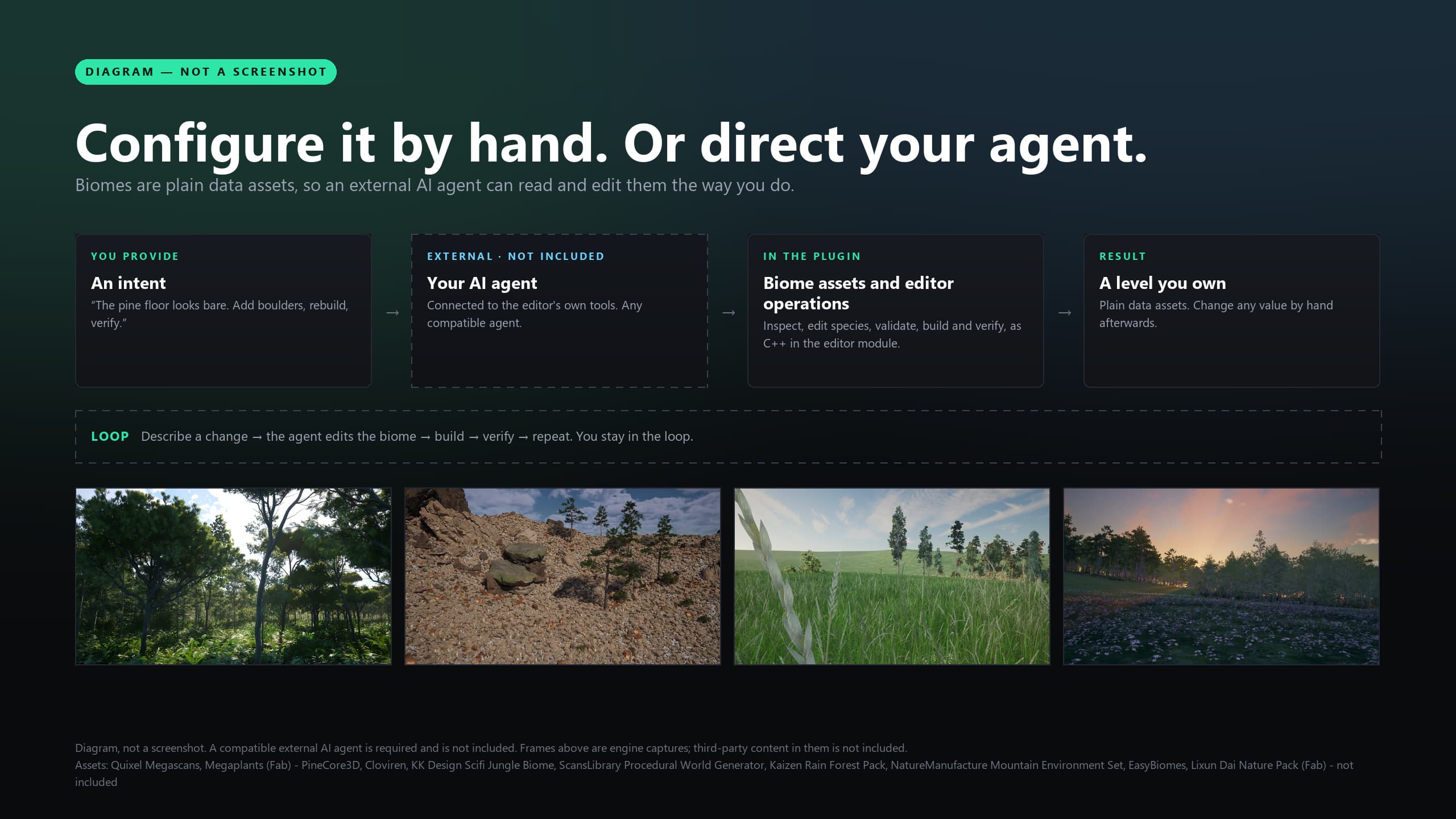
Diagram with engine captures and graphic overlays. Third-party scenery in the captures is not included; its credits are printed on the image. A compatible external AI agent is required and is not included. This is a diagram, not an editor screenshot.
The tools are editor-only and need Unreal Engine 5.8. No AI model or agent is included with the plugin: you connect your own MCP client. The tools do not ask for confirmation. Tools that act on the open level change it in memory and do not save it, and several asset tools save to disk as soon as they succeed, so work on copies. The toolset reference lists every argument.
The two toolsets
| Toolset | Registered name | Tools | Use it for |
|---|---|---|---|
| Biome | AgenticBiomesToolsets.AgenticBiomeToolset | 25 | Reading and editing biome assets, placing biomes, painting landscape layers, building and verifying a level, PCG graph parameters, hashes and reference checks |
| Capture | AgenticBiomesToolsets.AgenticCaptureToolset | 3 | Describing a shot set that you supply, capturing one shot at a time, deriving camera positions from the open level |
The editor-only AgenticBiomesToolsets module registers both when the editor starts. The Output Log (category LogAgenticBiomesToolsets) prints AgenticBiomes MCP toolsets registered (biome, capture). when it worked, and ToolsetRegistry unavailable; AgenticBiomes MCP tools not registered. when the registry subsystem is not running.
Requirements
- Unreal Engine 5.8 on Windows. The toolsets module is an editor module, and the plugin descriptor lists it for Win64 only.
- Epic's ToolsetRegistry plugin, which is experimental. Agentic Biomes lists it as a required plugin, so enabling Agentic Biomes enables it.
- To reach the tools from an MCP client, Epic's Unreal MCP plugin (module name
ModelContextProtocol). It is an experimental engine plugin, not part of Agentic Biomes, and Agentic Biomes does not enable it for you. Turn it on under Edit → Plugins and restart the editor. - An MCP client that speaks HTTP. Bring your own.
Connect a client
- Enable Unreal MCP and restart the editor.
- Start its server, by one of these routes:
- Tick Auto Start Server in the Model Context Protocol settings (property
bAutoStartServer) and restart. These are stored as editor settings, so look in Edit → Editor Preferences, and search the settings window for the name if you cannot see the section. - Launch the editor with
-ModelContextProtocolStartServer. - Run the console command
ModelContextProtocol.StartServer, optionally followed by a port number.ModelContextProtocol.StopServerstops it.
- Tick Auto Start Server in the Model Context Protocol settings (property
- Point your client at the server. For the first two routes the port is the value of the
-ModelContextProtocolPort=launch option if you pass one, otherwise Server Port Number (ServerPortNumber), and the path is Server Url Path (ServerUrlPath). The console command does not read those settings: it uses the plugin's built-in path, and its built-in port unless you give one. When the server starts, the Output Log printsStarting MCP server on port ...(categoryLogModelContextProtocol). Read the address from your own editor; this page quotes none. - If the tool list looks out of date after you enable a plugin, run
ModelContextProtocol.RefreshTools.
Epic's plugin also has a console command, ModelContextProtocol.GenerateClientConfig, that writes configuration files for several common MCP clients. Its usage text lists them.
When the server starts, the engine writes a warning to the Output Log about data sent to your connected language-model service under the Unreal Engine EULA (it cites Section 6(e)). Read it before you connect a hosted model.
Discover the tools
With the Enable Tool Search setting on (bEnableToolSearch, the default), the server offers three meta tools instead of one native tool per function:
| Meta tool | Arguments | Returns |
|---|---|---|
list_toolsets | none | A text listing with one line per toolset: its name and description |
describe_toolset | toolset_name (required) | The toolset's JSON schema: every tool's name, description and input schema |
call_tool | tool_name (required), toolset_name (optional), arguments (object, defaults to empty) | The tool's result |
The loop is always the same:
list_toolsetsto find the two names above.describe_toolsetwith one of them to read exact argument names, types and which are required.call_toolwithtoolset_name,tool_namewithout the toolset prefix, andarguments.
With Enable Tool Search off, the three meta tools are not offered. Every tool is registered as a native MCP tool named ToolsetName.ToolName instead.
A few conventions matter for every call:
- Names. The schema lowercases the first letter of every argument and result field, so
BiomePathisbiomePathandbDryRunstaysbDryRun. Follow the schemadescribe_toolsetreturns. - Asset references inside objects (the
meshandgeneratorof a species row) are objects of the form{"refPath": "/Path/Asset.Asset"}, with the full object path including the dot. Arguments typed as plain strings, such asbiomePath, are plain strings. - Results arrive as an object with the value under
returnValue. A missing or mistyped argument fails with an error before the tool runs.
call_tool
  toolset_name: AgenticBiomesToolsets.AgenticBiomeToolset
  tool_name:    ValidateBiome
  arguments:    {"biomePath": "/AgenticBiomes/Biomes/Showcase/Biome_Desert"}
A safe order of work
| Step | Do this | Tools |
|---|---|---|
| 1. Inspect | Establish facts before touching anything. Check what terrain the level has, what a biome will actually place, and what is already wrong. For a refactor, record hashes first so you can prove nothing else moved. | ResolveTerrainBackend, InspectBiome, ValidateBiome, FingerprintBiome, HashBiomes |
| 2. Edit | Preview first, then write. SetSpecies, MigrateEnumValues and FoldMeshTerrainSibling take bDryRun; read the report, then repeat with it false. | SetSpecies, SetRuntimeAssetScale, MigrateEnumValues, FoldMeshTerrainSibling, the four graph-parameter tools |
| 3. Validate | Run ValidateBiome again and compare fingerprints with the baseline. | ValidateBiome, FingerprintBiome |
| 4. Place | Draw a spline biome, or paint landscape layers. | DrawSplineBiome, AddLandscapeTargetLayer, PaintLayerRect, PaintBiomeLayers, BuildBiomesFromPaint, ImportHeightmapTerrain |
| 5. Build | Build the biomes. BuildLevelAs names the builder, which a level that has never been built needs; BuildLevel repeats the builder the Terraformer already recorded. For a Mesh Partition terrain, build its compiled sections too, with the level saved first. | BuildLevel, BuildLevelAs, BuildMeshTerrain |
| 6. Verify | Poll VerifyLevel until it stops reporting Pending, then capture the level and look at the image. | VerifyLevel, CaptureShot |
No tool has a save-level action, so save the level yourself after steps 4 and 5.
Asynchronous calls and polling VerifyLevel
Only some calls finish their work before they return.
| Call | What happens when it returns | How you know it finished |
|---|---|---|
BuildLevel, BuildLevelAs | The Terraformer's builder was started and PCG generation is under way | Poll VerifyLevel |
DrawSplineBiome | The region exists and generation is dispatched for every region the Terraformer tracks | Poll VerifyLevel |
BuildBiomesFromPaint with bRebuild true | The biome map was written and the build started | Poll VerifyLevel |
BuildMeshTerrain | One call that does not return until the build ends. It runs the engine's builder in a separate process and can outlast your client's timeout | The returned JSON, or the BuildMeshTerrain: FINISHED line in the Output Log |
CaptureShot | The PNG may be written after the call returns | Repeat the identical call; see the capture example below |
VerifyLevel never builds and never waits. It reads the open level and answers with one of five statuses:
status | Meaning | What to do |
|---|---|---|
Pending | At least one region's PCG component has not finished | Not a failure. Wait and call again |
Stale | A region was built from older biome rows, or carries no provenance stamp | Rebuild with BuildLevel. If you see it right after a build, poll again first: regions carry a provisional stamp until the bake completes |
Fail | A condition was not met: solo left on for a source biome, a degradation, no regions, no cache points, mismatched cells, or zero placed instances | Read failures, degradations and the counts |
Pass | Every condition holds | Capture the level and look at it |
Refused | The level has no Terraformer or more than one | Fix the level; rendered says which |
The Output Log (category LogAgenticBiomes) also prints a BAKE COMPLETE line when a build's PCG tasks finish, and the Terraformer's read-only Biome Bake Completion Counter (under Status) goes up by one. That line states that it does not mean runtime GPU generation has finished.
Pass is a count and a provenance check. It does not prove how the level looks. Runtime ground cover generates around the camera, so a count cannot confirm it. Capture a shot and open the image.
What the tools refuse to do
The tools refuse rather than guess. These are the messages that matter and what they mean.
| Tool | You will see | Meaning and fix |
|---|---|---|
SetSpecies | problems lists SpeciesId is required, Weight must be greater than 0, Generator is required, Generator '...' does not resolve, Mesh '...' does not resolve, or Row spawns nothing: set one of Mesh, SkeletalMesh, Assembly or Actor | The whole row is refused and nothing is written. Every problem is listed at once; fix them all and repeat |
SetSpecies | bSuccess false with action still Added or Updated, and a Failed to save biome package problem | The change is in memory only. Make the file writable and repeat |
InspectBiome | An empty array | The asset did not load, or has no rows. This tool does not return an error; check the path |
BuildLevel, BuildLevelAs | refusal says This level contains no AgenticTerraformer. or This level contains N AgenticTerraformers; which one to build is ambiguous. | A level-scoped tool needs exactly one Terraformer |
BuildLevel | refusal says LastBuildMethod=Unknown ... NOTHING WAS BUILT. | The level has no record of which builder made it, which is also true of a level that has never been built. The tool will not guess, because the wrong builder converts the level's layout and still reports success. On a level with no regions and no placed instances, call BuildLevelAs with the builder you want. On a level that already has regions or instances, press Build Biome Map, Build Biome Volumes or Build All on the Terraformer once; that records the builder |
BuildLevelAs | refusal says Builder '...' is not a builder this tool knows | Pass exactly one of BiomeMap, BiomeVolumes (or Volume) or Grid, in any letter case. Nothing was built |
BuildLevelAs | refusal says records LastBuildMethod=... but Builder=... was requested | Naming a builder authorises a build, not a conversion to another layout. Name the builder the level already records, or clear the level deliberately first if you mean to change it. Nothing was built |
BuildLevelAs | refusal says has LastBuildMethod=Unknown yet already carries topology | The level has regions or placed instances but no record of which builder made them, so there is something to destroy and no way to know. Press the build button you want on the Terraformer once. Nothing was built |
DrawSplineBiome | DrawSplineBiome: REFUSED - ... | No or several Terraformers, a biome that does not load, fewer than 3 points, or terrain that could not be resolved |
DrawSplineBiome | ... spawned but cannot generate: ... | The region exists but its spline is unusable for the stated reason. Fix the cause on the region, or delete it and draw again |
PaintLayerRect, PaintBiomeLayers, BuildBiomesFromPaint | No landscape in this level. | These three work on Landscape only. On MeshTerrain use DrawSplineBiome or a painted biome map |
PaintLayerRect | Landscape has no layer '<name>'. | Add the layer first with AddLandscapeTargetLayer or PaintBiomeLayers |
BuildMeshTerrain | error starts with Refusing: ... | Not an editor world, not a World Partition level, no Mesh Partition actors, unsaved world packages, another build running, or the world changed. Nothing was built |
FoldMeshTerrainSibling | Value conflicts - the fold refuses | Matched rows disagree on a field other than generator and child assets. Resolve by hand, or set bSplitOnConflict true to keep both as separate rows |
ProveUnreferenced | problems says the subject does not resolve | An unreadable path is not "no references". bSafeToDelete stays false |
DescribeShotSet, DeriveCameras, CaptureShot | problem says ShotSetPath is empty, is not a .json file, could not be read, is not valid JSON, has no levels array, or declares no such level | The shot set is your file, passed as shotSetPath. The plugin ships none. The message ends with the expected format, so you can write the file from it. See the capture example below |
CaptureShot | problem says PhaseTag and ShotId must each be a plain name | They become a folder and file name. Use letters, digits, -, _ and single dots only |
CaptureShot | problem says the shot still has a [0,0,0] placeholder location | Run DeriveCameras, write the locations into your shot-set file, then capture. The tool will not photograph the world origin |
CaptureShot, DeriveCameras | problem says the open level is not the shot's level | The tools never load a map, because that would discard unsaved work. Open the level first |
There is no tool to delete a species row, a region, an actor or an asset, to clear a level, or to save a level. The toolset reference lists every refusal by tool.
Worked examples
Each example shows the request you give your agent, then the calls it should make. Argument names are the real ones, in the lowercased form the schema uses. Asset paths are shipped showcase assets, used for illustration. Where a call writes to a biome, use your own copy.
Author a species row
Request: "Add a Landscape-only boulder species called Dune_Boulder to my copy of the desert biome, using the shared rocks generator and the sample boulder mesh. Preview it before writing."
- Read what the biome places now.
call_tool
  toolset_name: AgenticBiomesToolsets.AgenticBiomeToolset
  tool_name:    InspectBiome
arguments: {"biomePath": "<your copy of Biome_Desert>"}- Preview the row.
call_tool
  toolset_name: AgenticBiomesToolsets.AgenticBiomeToolset
  tool_name:    SetSpecies
  arguments:    {
    "biomePath": "<your copy of Biome_Desert>",
    "row": {
      "speciesId": "Dune_Boulder",
      "weight": 1.0,
      "generator": {"refPath": "/AgenticBiomes/PCG/Generators/Shared_Rocks_Landscape.Shared_Rocks_Landscape"},
      "mesh": {"refPath": "/AgenticBiomes/Sample/Meshes/PCG_Boulder_01.PCG_Boulder_01"},
      "backends": 1
    },
    "bDryRun": true
  }
backends is a bit mask: 1 is Landscape, 2 is MeshTerrain, and the default 3 serves both. A generator built for Landscape places nothing on a MeshTerrain level, so mask the row to the backend it was built for.
- If
bSuccessis true andproblemsis empty, repeat step 2 withbDryRunfalse. The tool saves the asset. A row with the samespeciesIdis replaced whole, not merged, so to change one field of an existing row, send the full row. - Call
ValidateBiomeon the same path. An empty array means no findings. - Build and verify as in the next example.
Draw a spline biome
Request: "Draw a patch of the snow biome over this rectangle and tell me when it has generated."
ResolveTerrainBackendwith no arguments.bCanBuildmust be true.- Draw the region. Points are corners in world centimetres, at least three, in drawing order. Z is snapped to the terrain surface wherever there is terrain below a point, so only X and Y have to be right. The values below are placeholders; use coordinates from your level.
call_tool
  toolset_name: AgenticBiomesToolsets.AgenticBiomeToolset
  tool_name:    DrawSplineBiome
  arguments:    {
    "biomePath": "/AgenticBiomes/Biomes/Showcase/Biome_Snow",
    "worldPoints": [
      {"x": 20000, "y": 10000, "z": 0},
      {"x": 30000, "y": 10000, "z": 0},
      {"x": 30000, "y": 20000, "z": 0},
      {"x": 20000, "y": 20000, "z": 0}
    ],
    "bLinear": true
}- The text it returns ends with
aggregation DISPATCHED (asynchronous). Generation has started, not finished. - Poll
VerifyLeveluntilstatusis no longerPending. Each call toDrawSplineBiomeadds another region, so do not repeat it while polling.
Build and verify a level
Request: "Build the level and confirm it generated."
ResolveTerrainBackend. IfbackendisBothorNone, stop: set the Terraformer's Terrain Backend, or add terrain.BuildLevelwith no arguments rebuilds a level the Terraformer has built before, with the builder it recorded. ReadbuilderRun,bRanandrefusal.- A level that has never been built has no recorded builder, so
BuildLevelrefuses it withLastBuildMethod=Unknown. Name the builder withBuildLevelAsinstead:
call_tool
  toolset_name: AgenticBiomesToolsets.AgenticBiomeToolset
  tool_name:    BuildLevelAs
  arguments:    {"builder": "BiomeVolumes"}
builder is BiomeMap, BiomeVolumes (or Volume) or Grid. BuildLevelAs builds nothing and refuses when the Terraformer already recorded a different builder, and when the record is Unknown but the level already has regions or placed instances. bRan true means the builder was started. The builder can still decline on its own inputs; it then logs why under LogAgenticBiomes, regionsSpawned stays at 0 and VerifyLevel does not pass.
VerifyLevelrepeatedly untilstatusleavesPending.- On
Pass, checkplacedInstancesandregionCountagainst what you expect. OnStale, rebuild. OnFail, readfailures,degradationsand the counts. - Save the level, then capture a shot to look at it.
Capture a declared shot set
The capture tools read their cameras from a JSON shot-set file in your own project. The plugin ships none. Every call takes its location as shotSetPath: absolute, or relative to the project directory (the folder that holds your .uproject), and it must end in .json. If the file is missing or malformed, the tool refuses and its problem text includes the expected format, so an agent with no file can write one from that message. Images are written to Saved/AgenticBiomes/Captures/<phaseTag>/<shotId>.png under your project. Start with placeholder locations; DeriveCameras measures the real ones.
{
  "levels": [
    {
      "level": "/Game/Maps/MyMap",
      "shots": [
        {
          "id": "wide_overview",
          "kind": "wide",
          "purpose": "Every biome in one frame",
          "fov": 70,
          "location": [0, 0, 0],
          "rotation": {"roll": 0, "pitch": -35, "yaw": 0}
        },
        {
          "id": "boundary_eye",
          "kind": "eye",
          "purpose": "A biome boundary at eye height",
          "fov": 70,
          "location": [0, 0, 0],
          "rotation": {"roll": 0, "pitch": 0, "yaw": 0}
        }
      ]
    }
  ]
}
kind is wide, eye, ground or silhouette. location is an array of three numbers, not an object, and rotation uses the named fields roll, pitch and yaw. Save the file in your project, for example as Config/BiomeShots.json (a placeholder name; any .json path works).
With that level open in the editor (the capture tools never load a map) and a Terraformer in it that has built the level:
DescribeShotSetwithlevelPathset to the level's package path andshotSetPathset to your file.bDerivedis false while any location is[0, 0, 0].DeriveCameraswith the same two arguments. It writes nothing and returns, for each shot, the measuredlocationandrotation. Check each entry'sproblemandgroundSource; never use a location whosegroundSourcestarts withNEITHER. Write the good values into your file as literals.DescribeShotSetagain.bDerivedshould now be true.CaptureShotrefuses any shot that still has the[0, 0, 0]placeholder.CaptureShotwithlevelPath,shotSetPath,shotIdandphaseTag.shotIdandphaseTagmust each be a plain name: letters, digits,-,_, single dots. This first call is a warm-up frame and reportsbSettledfalse.
call_tool
  toolset_name: AgenticBiomesToolsets.AgenticCaptureToolset
  tool_name:    CaptureShot
  arguments:    {
    "levelPath": "/Game/Maps/MyMap",
    "shotSetPath": "Config/BiomeShots.json",
    "shotId": "wide_overview",
    "phaseTag": "first_build"
}- Call
CaptureShotagain with identical arguments. Only this result is evidence:bSettledandbGameViewtrue,imageBytesabove 0,problemempty. Then open the PNG atimagePathand look at it.
On a non-wide shot, a problem saying the camera is outside every region's generation radius means runtime ground cover will not have generated there; move the camera. If the first call reports no pixels, the editor is probably not in the foreground or is running without a renderer: a -nullrhi or commandlet session has no viewport and cannot produce pixels. Repeat the call from a foregrounded editor.
Limits
- The tools exist only in the editor. They are not available in a packaged game.
- No model or agent ships with the plugin. The tools do the same work you can do by hand in the Details panel, with refusals where a guess would be dangerous.
- There is no tool to delete or save a level, and no tool for roads, exclusion zones, the wind bridge or the terrain material.
VerifyLevelandCaptureShotgive evidence, not judgement. Whether a level looks right is for you to decide from the image.- The capture tools depend on a shot-set file you supply and pass on every call. They capture one shot per call by design, and a capture changes every level viewport: it aims them at the shot and leaves them in Game View.
Next steps
Read the toolset reference for every argument and return field. For how biomes and placement work underneath, see biome assets and placement. If a tool is missing or a call fails, see troubleshooting or Discord support.
Terrain Material
Apply the M_AT_LayerStack layer-stack material and its three instances to a Landscape or MeshTerrain, bind paint layers to biomes, and see what Runtime Virtual Texture and Nanite displacement need from your project.
Wind Bridge
Configure the AT Wind Manager actor to push one wind value into your own material parameter collections, Niagara effects and wind receivers, and use the shipped foliage wind material.