Footprints + Trails
RT-deformed footprint stamps and continuous drag trails
Footprints + Trails
RT-based ground deformation with two modes: event-triggered footprint stamps and continuous movement-based drag trails.
Demonstration feature. The footprint/trail system is a minimal showcase bundled for evaluation. For shipping games, we recommend using a purpose-built landscape deformation solution. The audio, VFX, and replication layers work with any third-party deformation system.
How It Works
UAgenticFoleyComponent
├── bEnableFootprints → FootprintBrush (event-driven stamps)
│     bDrawOnMovement=false, bDrawEveryFrame=false
│     StampTexture = boot sole mask
│
└── bEnableTrails → TrailBrush (movement-driven)
      bDrawOnMovement=true, bUseMultiDraw=true
      StampTexture = circular blob
Both brushes register with UAgenticFootprintSubsystem (a UWorldSubsystem). The subsystem ticks, allocates brushes to AAgenticDrawingBoard actors placed in the level, and dispatches drawing.
Setup
Enable Footprints
On the foley component:
| Property | Value |
|---|---|
bEnableFootprints | true |
FootprintTexture | Boot sole texture (3 shipped) |
FootprintSize | (25, 40) cm default |
Enable Trails
| Property | Value |
|---|---|
bEnableTrails | true |
TrailTexture | Circular blob texture (shipped) |
TrailSize | (80, 80) cm default |
Add a Brush Sibling (Advanced)
The foley component auto-creates a default brush if your pawn has none. For per-pawn customization — cull radius, movement tolerance, canvas class filter, explicit mirror flip — add an AgenticInteractBrush sibling component on the character directly:
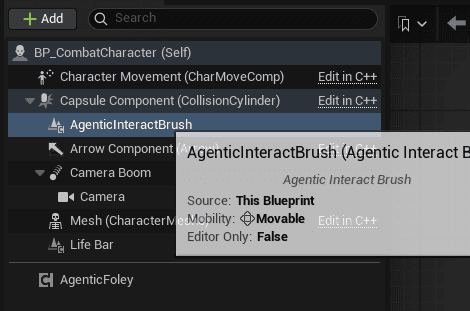
The default details look like this once added:
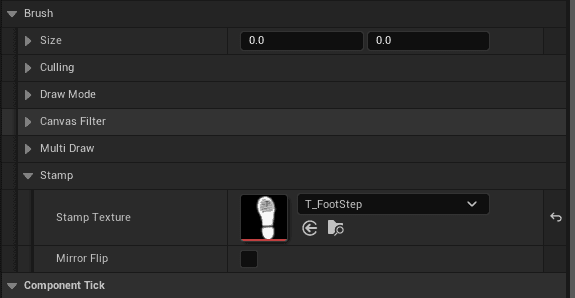
Place a DrawingBoard
- Place an
AAgenticDrawingBoardactor in your level - Set
RTBrushDrawOnto a render target (e.g.,RT_Mud) - Set
CanvasWorldSizeto cover your playable area - Your ground material reads the RT for displacement
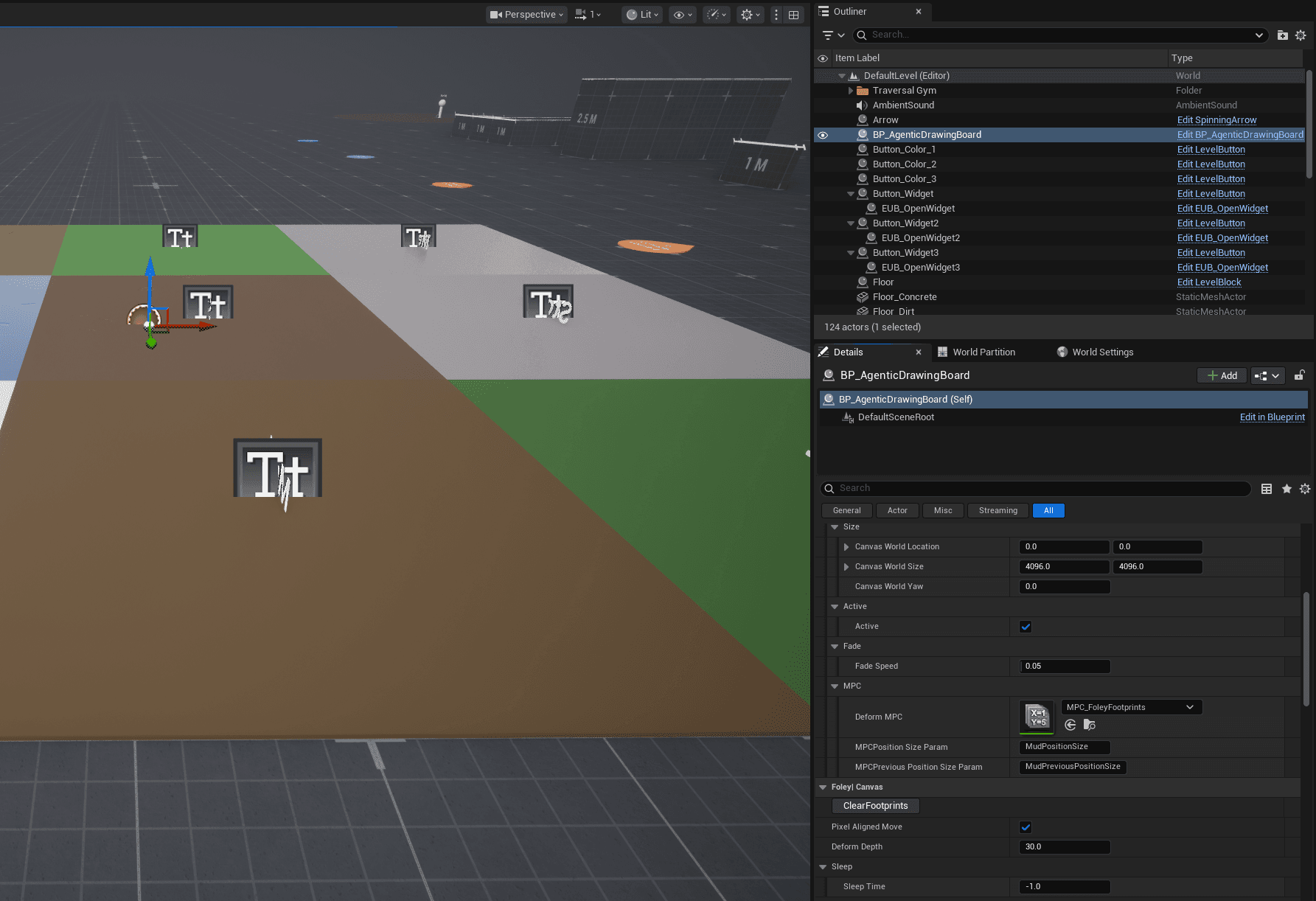
Per-Foot Textures
The FootprintConfigs array on the component supports per-foot texture overrides:
FootprintConfigs = [
  { FootSocket: "foot_l", StampTexture: LeftBootTex, bMirrorFlip: true },
  { FootSocket: "foot_r", StampTexture: RightBootTex, bMirrorFlip: false }
]
3-Layer Fallback
- Layer 1 — Look up
FootSocketname inFootprintConfigs. If matched, use that entry's texture + mirror flip. - Layer 2 — No match. Derive mirror flip from socket suffix (
_l= true,_r= false) using component'sFootprintTexture. - Layer 3 — Legacy BP path. Toggles
bFootprintMirrorFlipboolean.
Supports asymmetric boots, quadrupeds, left-foot-only textures, and exotic rigs. FootprintConfigs is optional — leave empty for standard UE mannequin.
Shipped Assets
- 3 stamp textures (boot soles)
- 3 render targets
- 5+ blend materials
MPC_InteractWorldmaterial parameter collectionMF_MudInteractmaterial function